Operational web software

All Information & Tasks (AIO)
for units in the field

AIO helps security companies, police basic teams, municipalities and other operational organisations to issue duties, tasks and information to units securely — one central place, accessible in the browser on a large screen, laptop, tablet and phone.

From briefing to feedback: planners keep an overview with Kanban, dashboards, the map of task locations and a second screen. Units see exactly what is relevant to them and update their tasks from any screen.

  • Issue tasksCreate, assign and track centrally.
  • Securely accessibleQR, session links, restricted access and encryption.
  • Live overviewKanban, dashboards, log and second screen; tasks on the map.
  • One central place Tasks, map, information and shift roster in the same environment.
  • Overview & control Kanban, dashboards and a second screen for the team room.
  • Works on every screen Large screen, laptop, tablet and phone — simply in the browser.
  • Secure by design Encrypted database, session security and audit log.

Why AIO

One central place for planning, execution and accountability

Operational work calls for calm, speed and control. AIO is built for teams where tasks must not get lost in scattered chats, briefings, Excel lists or word of mouth — from security companies and police basic teams to municipal enforcement, neighbourhood teams and event organisers. Not another system alongside the work, but the point where everything comes together.

1

Create & brief

The back office creates tasks with location, label and priority and issues them to units or the shared work queue.

2

Carry out in the field

Units log in, see their duties and the task locations on the map, and update the status from tablet or phone.

3

Track & report back

Planners follow along live on Kanban, map and dashboard; the log and feedback make accountability afterwards simple.

Who it is for

Indispensable for municipalities, police and security

Every operational service has its own tasks, its own accountability and its own sensitive information. AIO fits the way your sector works — below you will find the benefits per type and why AIO quickly becomes indispensable.

Municipalities & enforcement

Supervision and enforcement in public spaces — reports, enforcement officers and patrols, clear and accountable.

  • Issue reports and enforcement requests centrally to inspectors and enforcement officers
  • Hotspots, patrol areas and report locations directly on the map
  • Accountability to the executive board and the council with logs, turnaround times and figures
  • Sensitive personal data encrypted, with restricted access and an audit trail (GDPR)

Why indispensableSupervision in public spaces has to be demonstrable and clear — not scattered across email, chat messages and stray Excel lists.

Police basic teams

One line from briefing to report: task allocation, patrols and feedback for the basic team.

  • Briefing and task allocation per shift on the Kanban board, immediately visible to units
  • Task locations and areas of attention on the map for emergency response and community officers
  • Feedback with a RAPP/BVH number straight from the phone in the field
  • A second screen at the station showing the current status of the shift

Why indispensableTasks and feedback must not get lost in notes and chat messages; the basic team keeps live sight of who is where.

Security companies

A grip on mobile teams and sites, with the reporting your client expects.

  • Plan and assign shifts, patrol rounds and sites to security officers
  • Alarm response and incidents with location on the map and live status
  • Reporting and feedback per site or task for the client
  • Secure access with QR and session links, encryption and a panic button

Why indispensableYou have to deliver demonstrably to your clients — with a grip on teams that are dispersed and on the move.

In brief

Everything an operational service needs

From task to feedback, from Kanban to a calm large screen in the team room — clearly brought together in one environment.

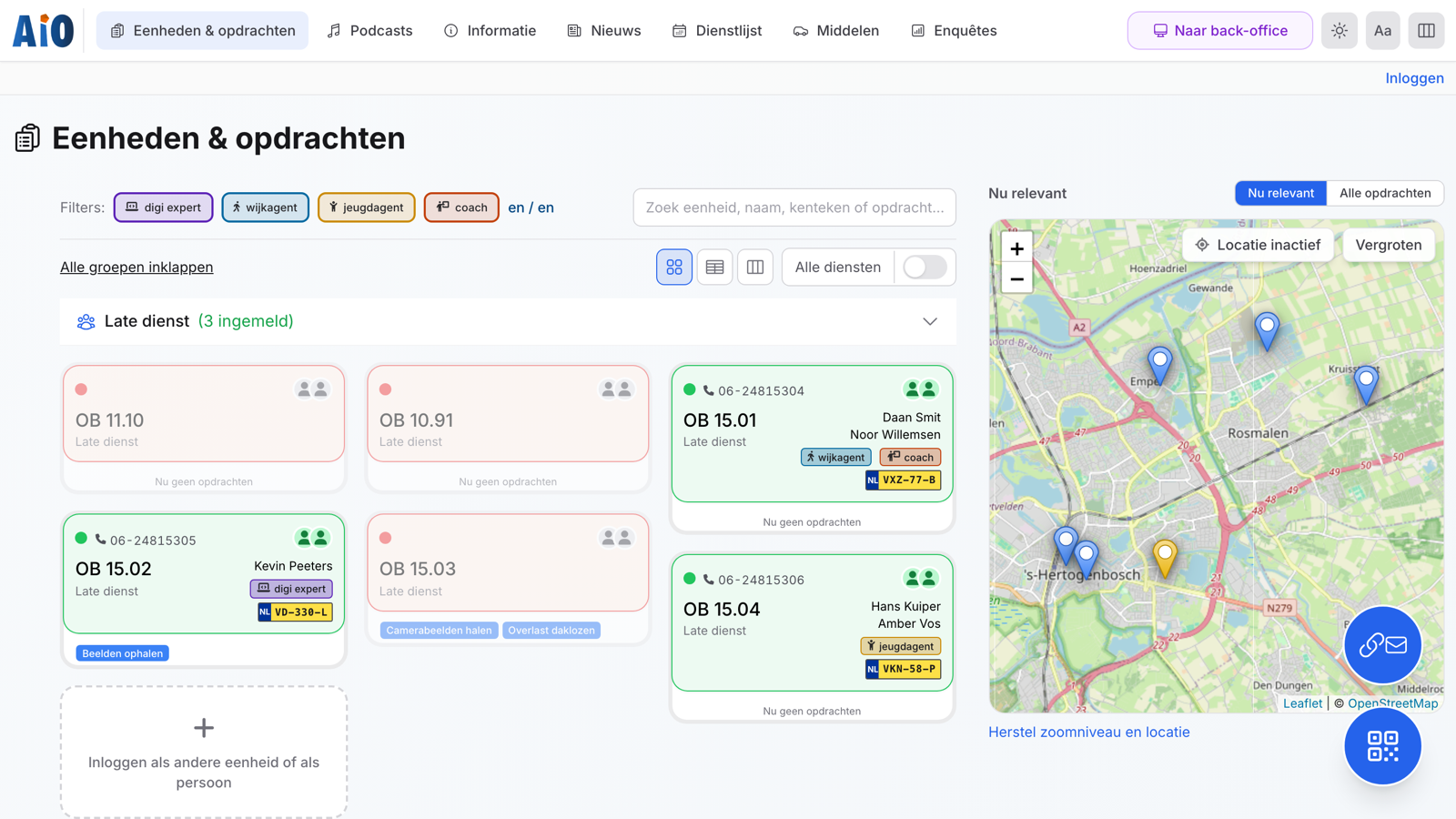
AIO home screen with units logged in per shift and a map with task locations. Live coordination
Live overview See at a glance who is logged in, which tasks are open and where the work lies.

Kanban

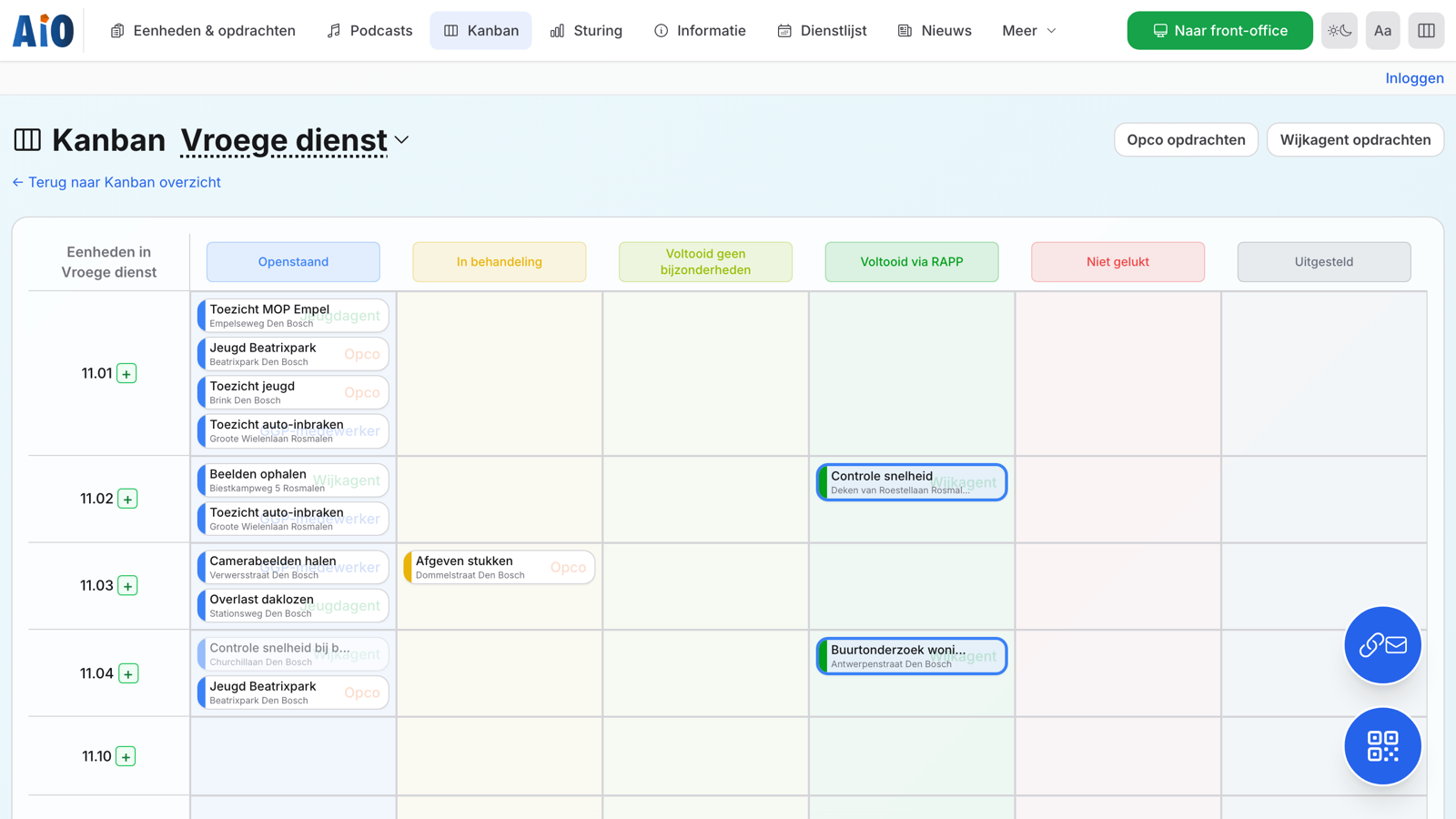
Distribute tasks across units and statuses — per shift or combined, with drag-and-drop.

Control

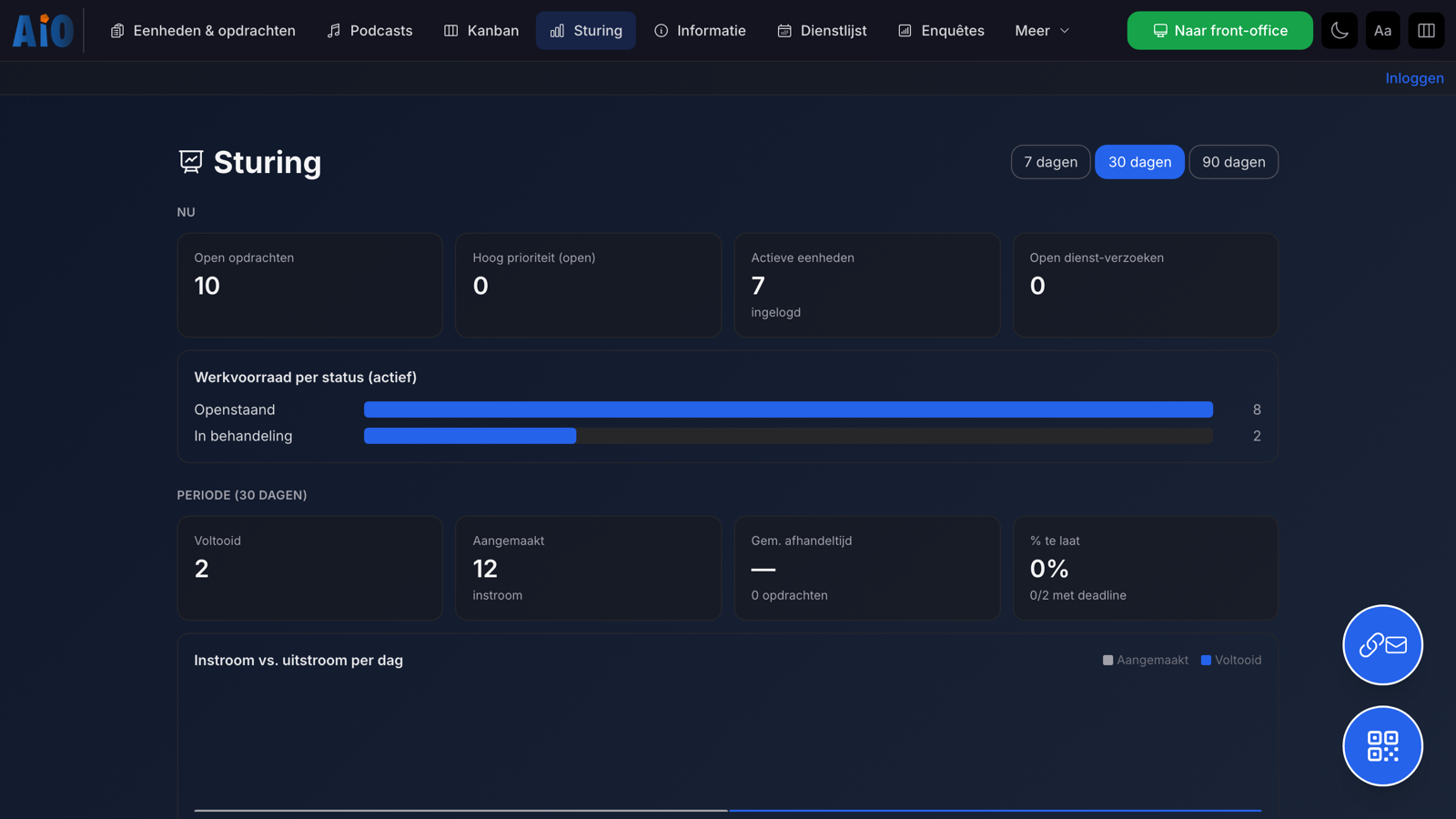
Dashboards with the work queue per status, turnaround time and inflow versus outflow over 7–90 days.

Second screen

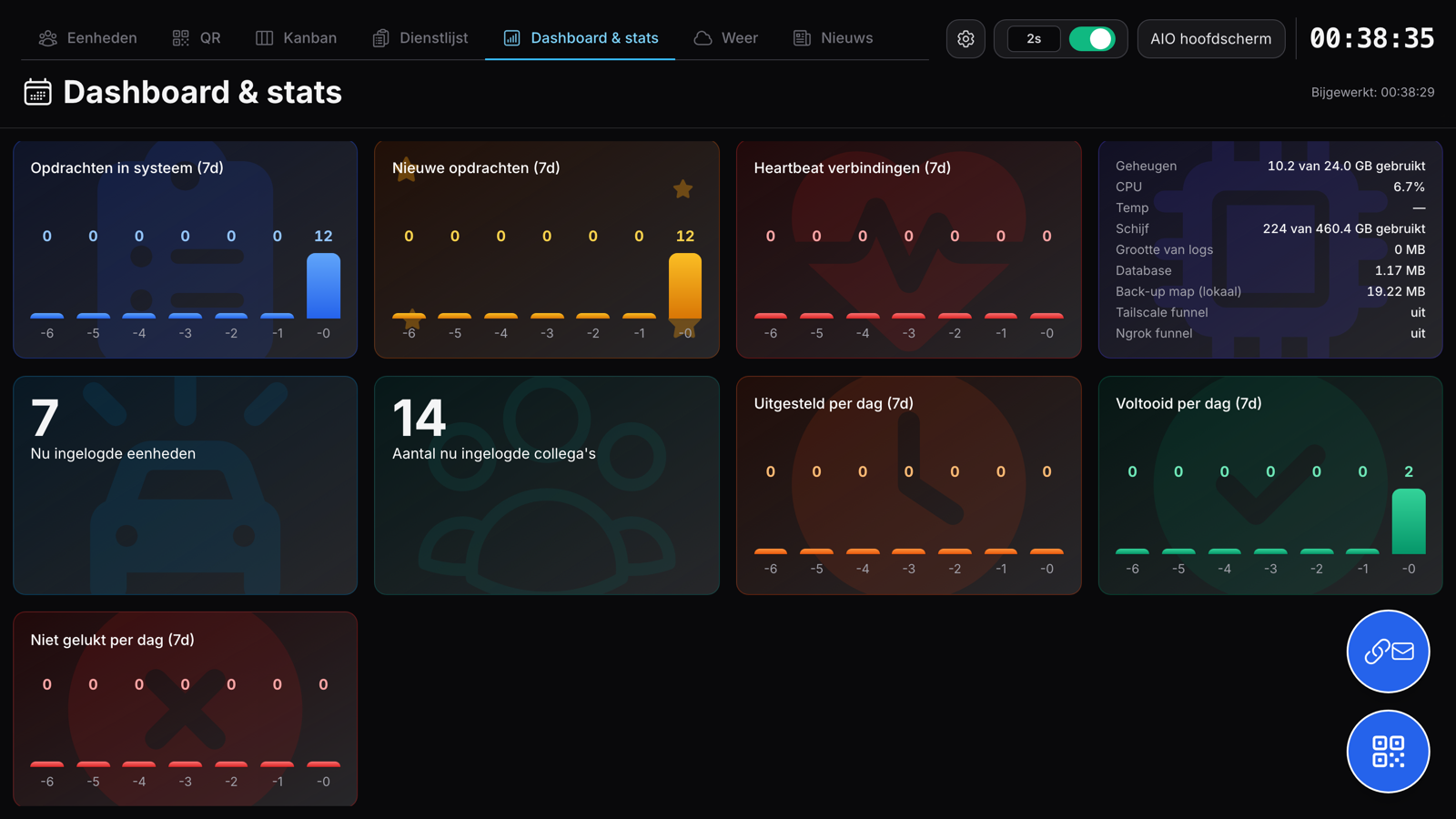
A calm screen for the team room: map, dashboard, shift roster, weather and news rotate automatically — so you always catch the current status out of the corner of your eye.

Encrypted database

SQLCipher (AES-256): data on disk stays unreadable without a password, even if it is stolen.

Works on every screen

Large screen, laptop, tablet or phone — the same environment in the browser, without installing anything per device.

Features

All features, clearly grouped

AIO combines task management, execution, communication, dashboarding and security in one environment. Click a category to see only the features from that section.

36 features visible

Tasks

Create and assign tasks

Create tasks with location, status, validity and active time blocks.

Tasks

Statuses and feedback

Track every task from open to completed, with your own status colours and labels.

Tasks

Recurring tasks and time windows

Have tasks recur on chosen days within an active time window.

Tasks

Labels, roles, priority and competency

Organise tasks by theme, requester role, priority and required competency.

Tasks

Bulk mode, CSV import and attachments

Process tasks in bulk, import from CSV and add attachments for context.

Tasks

Archiving and ageing

Archive tasks manually or automatically and keep the work queue clean.

Units

Manage groups and shifts

Work with early, late and night shifts or your own groups, each with its own time and colour.

Units

Front office for a unit or a person

Units see their tasks, map and information — by call sign or by name.

Units

Log in with crew details

Record the crew for each deployment: names, phone, licence plate and competencies.

Units

Extra and temporary units

Let units register themselves from the front office, within your rules.

Units

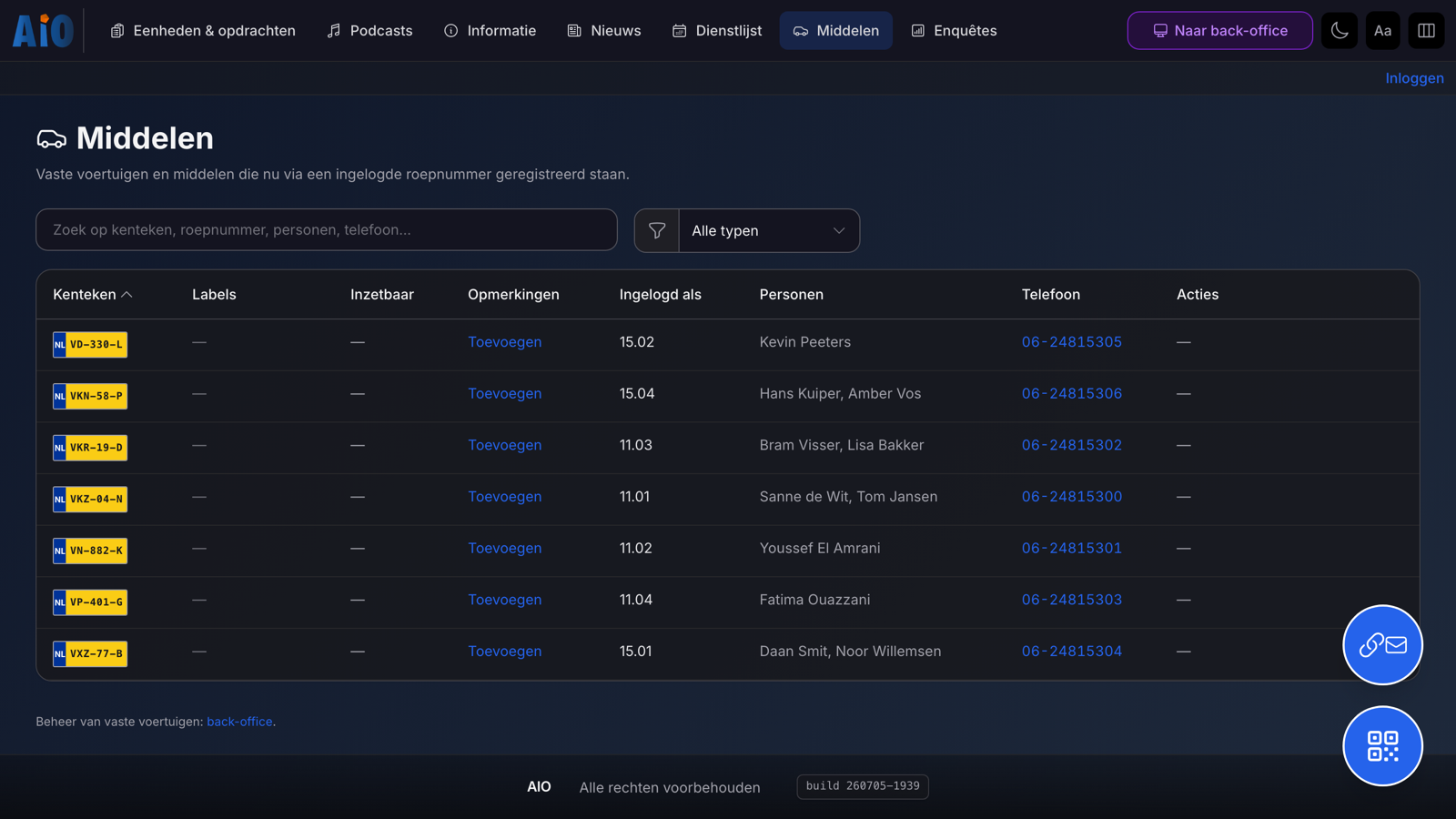
Vehicles, resources and reservations

Record licence plates, resources and availability for teams that allocate equipment.

Units

Log in via QR or session link

Access via QR code or email link, without a complicated rollout per device.

Map

Tasks on the map

See the work queue on the map, with geocoding via PDOK or OpenStreetMap.

Map

Geographic areas and filters

Work with your own areas and filter by competency, shift or label.

Overview

Kanban per shift or combined

Move tasks visually between units and statuses.

Overview

Control: dashboard and statistics

See the work queue per status, turnaround time and inflow versus outflow.

Overview

Second screen and narrowcasting

Show the map, Kanban, shift roster and dashboard on a large screen in the team room.

Overview

Weather and news on the screen

Complement the second screen with current weather and news from chosen RSS sources.

Overview

Log and audit trail

Changes, status transitions and log-in and log-out moments are recorded.

Communication

Messages between unit and back office

Units and the back office send each other messages in the same environment.

Communication

Information module with labels and search

Share briefings and procedures, with labels, search and pinning.

Communication

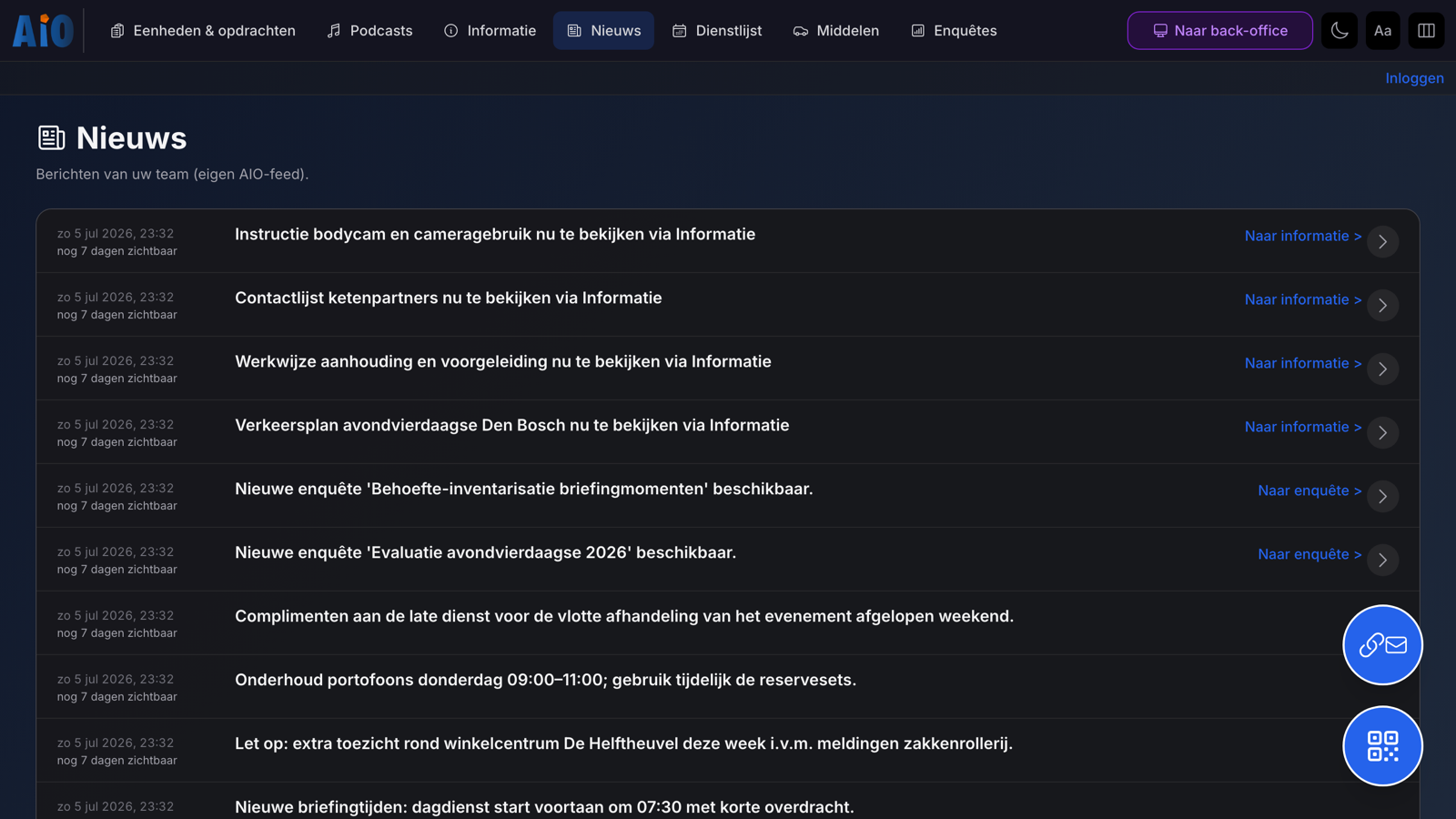
AIO News and podcasts

Share team messages in your own news feed and audio as a podcast for on the road.

Communication

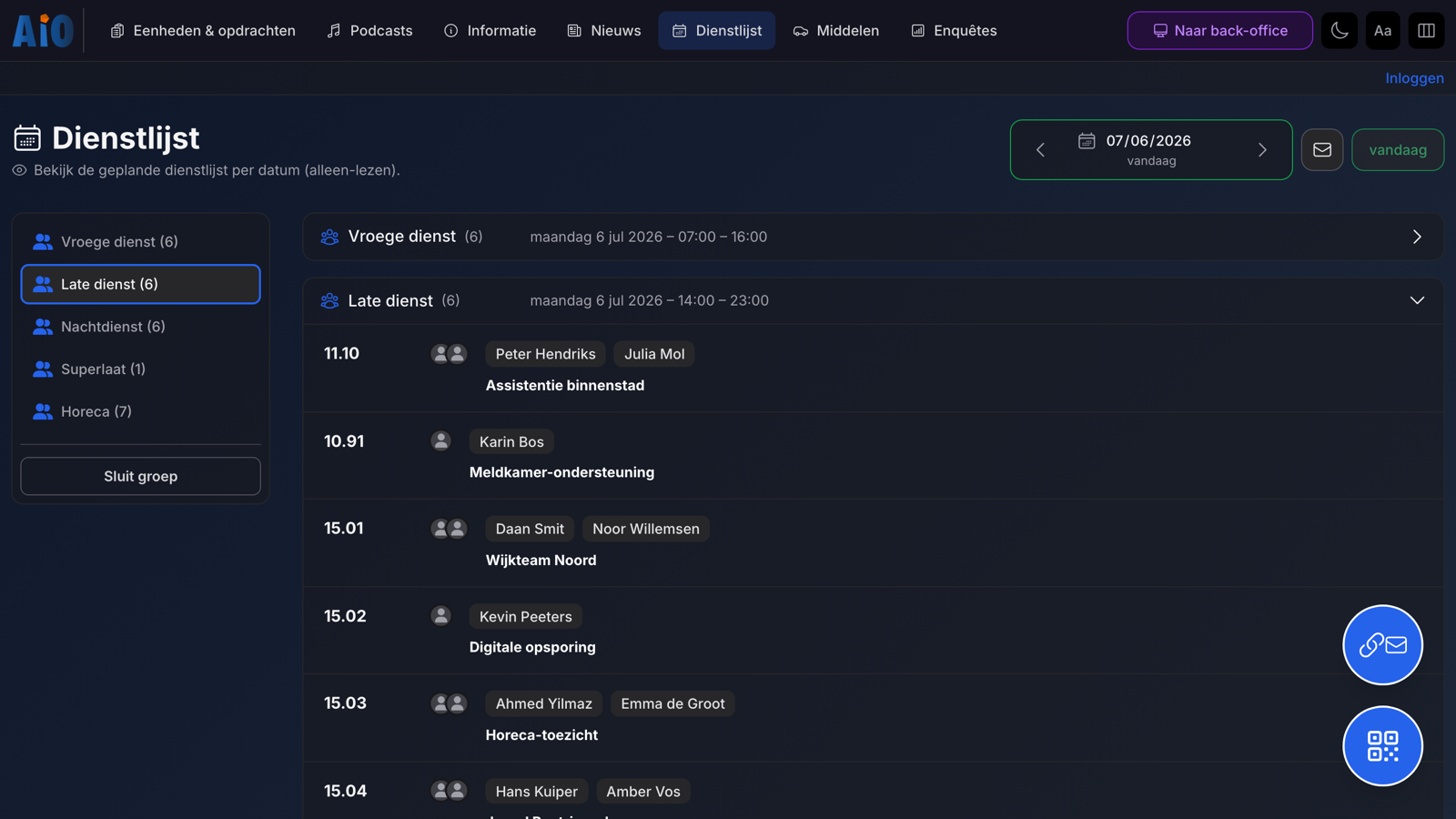
Shift roster and crew

Record per date who is on which unit and handle shift requests.

Communication

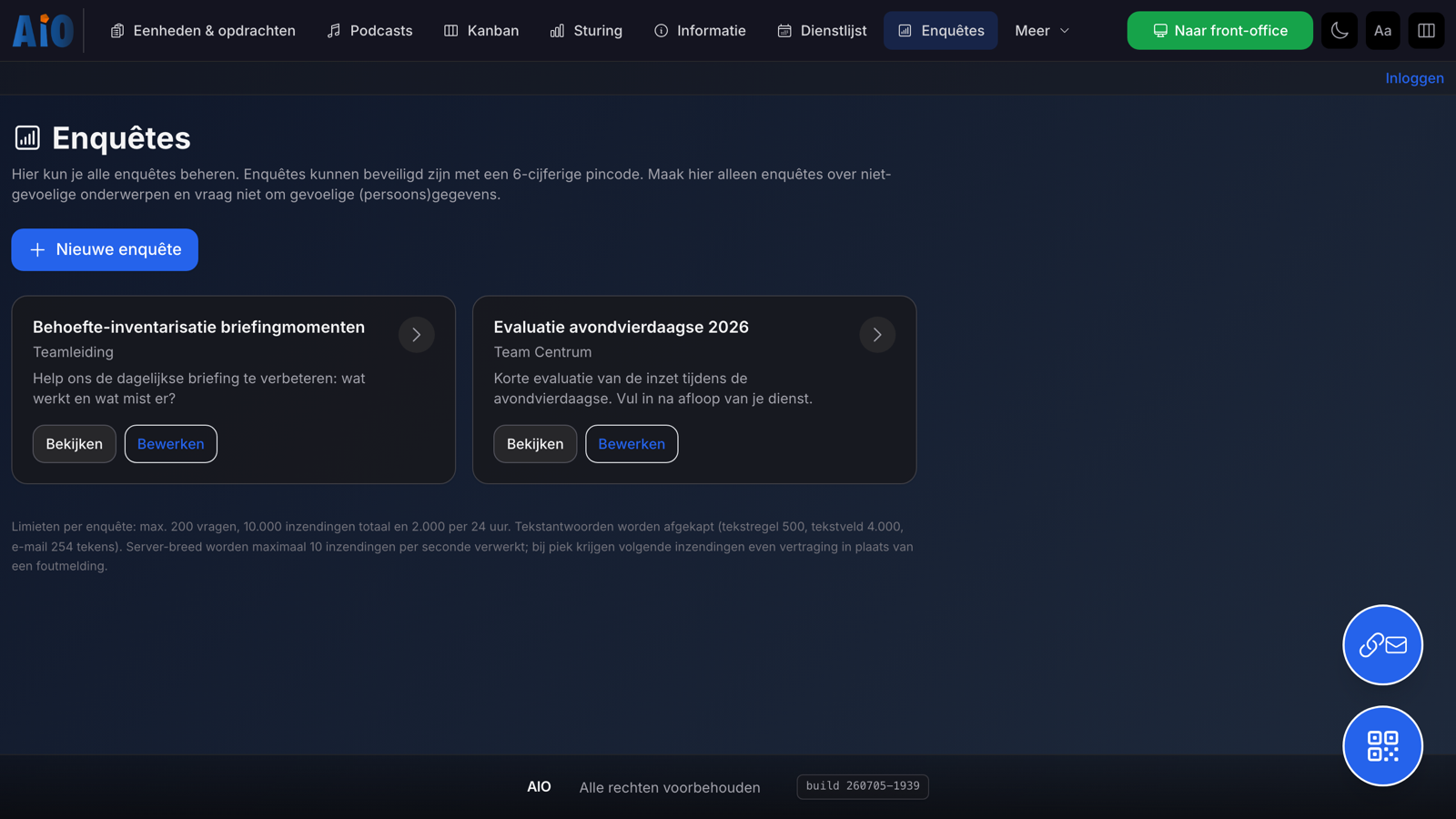
Surveys and questionnaires

Send out surveys for briefing or evaluation, optionally with a PIN code.

Security

Encrypted database (SQLCipher)

With SQLCipher, data on disk stays unreadable without a password, even if it is stolen.

Security

Secure sessions for remote access

QR and email links use encrypted sessions with separate keys.

Security

Restricted QR codes and panic button

Grant access to specific units and invalidate sessions instantly.

Security

Accounts, 2FA and PIN codes

Log in with an account and optional 2FA, or with a PIN code for the back office.

Security

Audit log for accountability

Events are recorded with who, what and the outcome — designed with ISO 27001 in mind.

Security

Hardening for production

Runs in a hardened Docker container with CSP, HSTS and SameSite cookies.

Administration

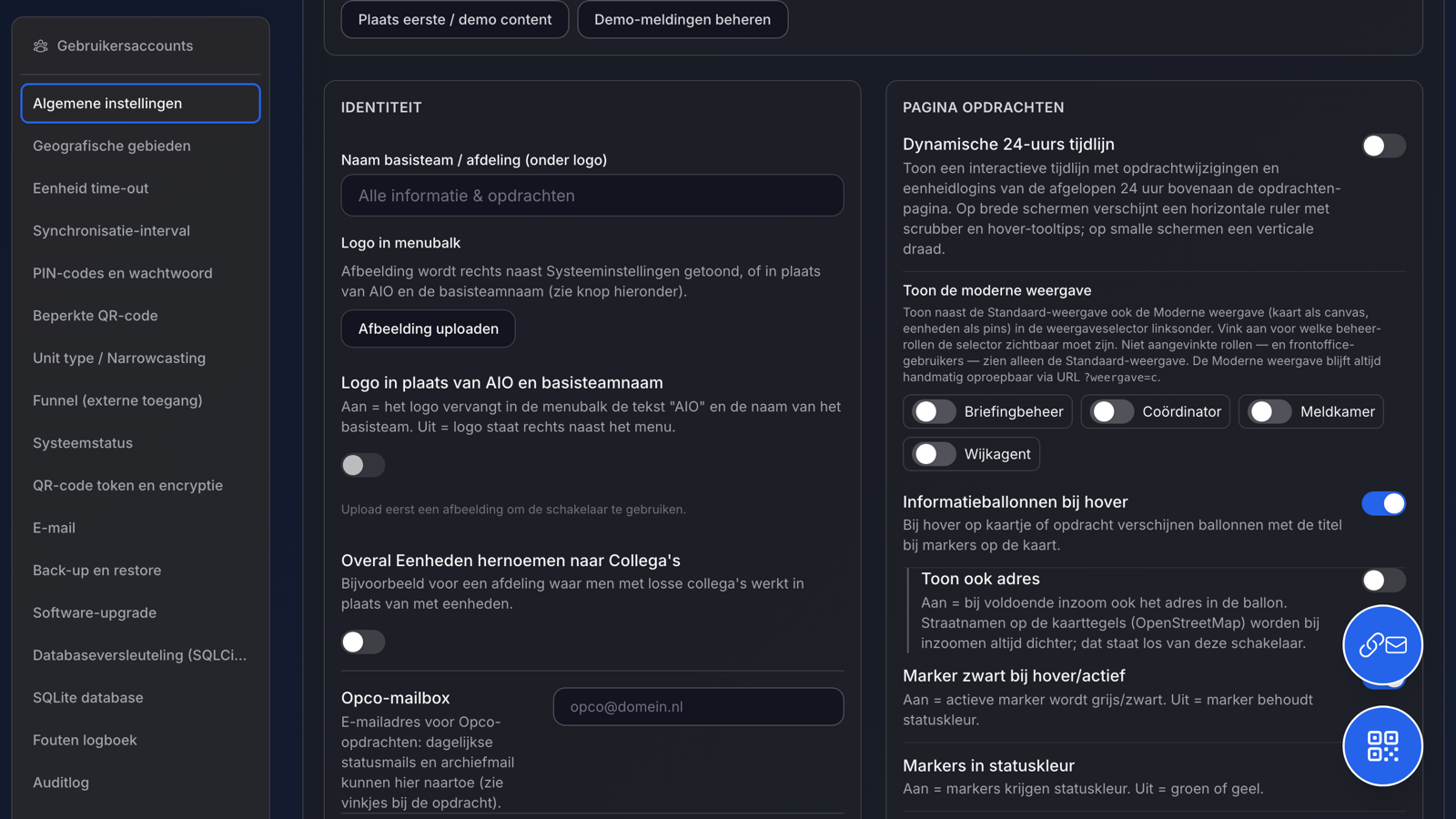
System settings per organisation

Configure the logo, modules, status labels, colours and security to match how you work.

Administration

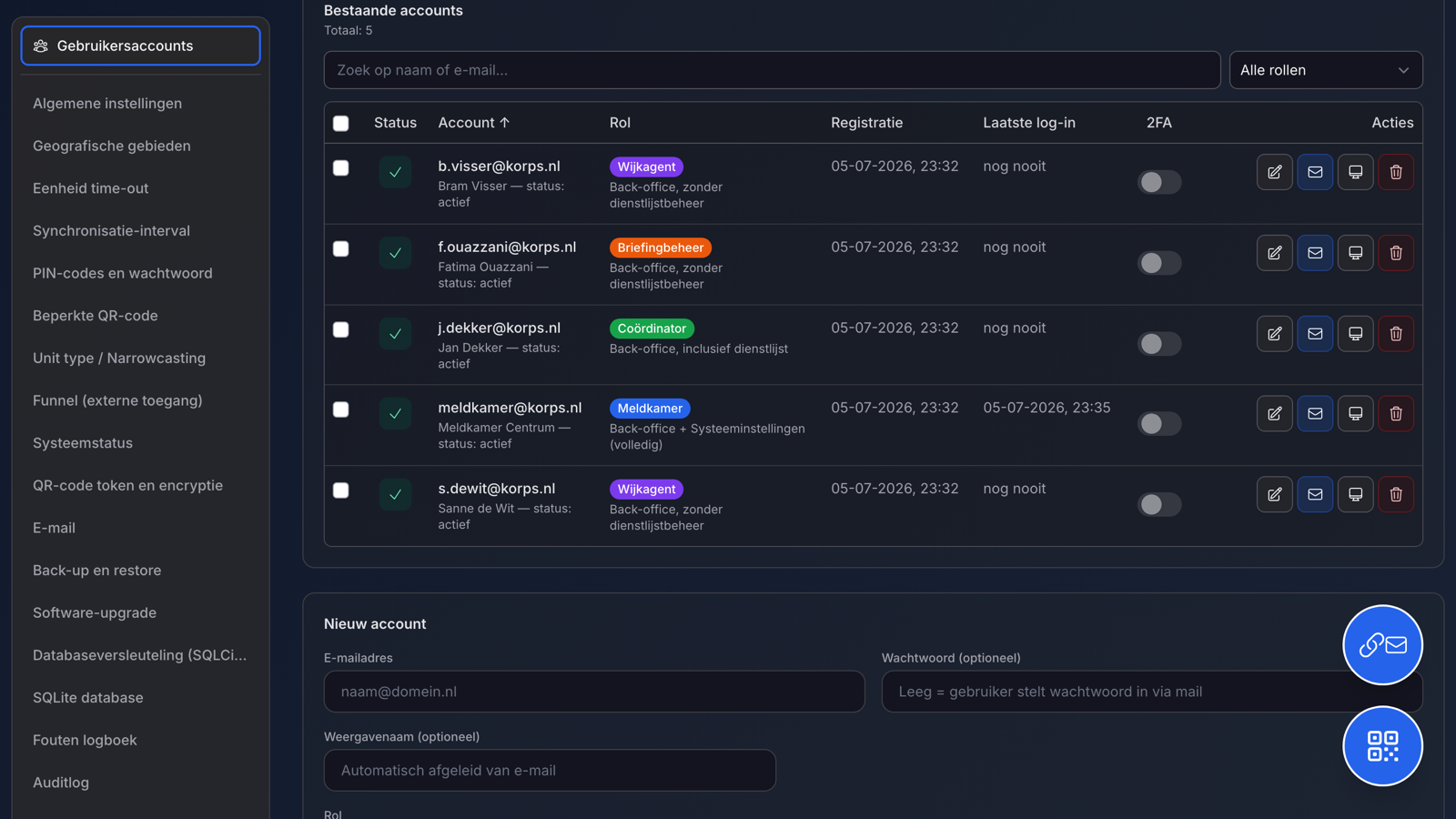
Granular page permissions per role

Determine per role which sections are accessible, down to page level.

Administration

Backups, restore and rollback

Installation and updates with backup, restore, rollback and remote management.

Administration

Raspberry Pi, kiosk and updates

Run AIO on a Raspberry Pi in kiosk mode, with licensing and updates via InnoKEYS.

Administration

System status and monitoring

See memory, CPU, temperature, disk and logs at a glance.

Administration

API and a modern foundation

React, TypeScript, Node.js, Express and Prisma make further development possible.
Is AIO right for your work?

From feature overview to your own configuration In a short demo we show how AIO is set up for your service and way of working.

AIO in pictures

This is what AIO looks like

From the front office for units to coordination in the back office and the second screen in the team room. All images show anonymised demo data — click a screen for an enlarged view.

AIO home screen with units logged in per shift, names, competencies, licence plates and a map with task locations.

Front office

The calm working view for units in the field

Units see their tasks, the map with task locations, shared information, news, shift roster and resources — clearly brought together, without noise.

  • Duties, map and status in one view
  • Log in yourself with crew details: names, phone, licence plate and competency
  • Works in the browser on a large screen, tablet and phone
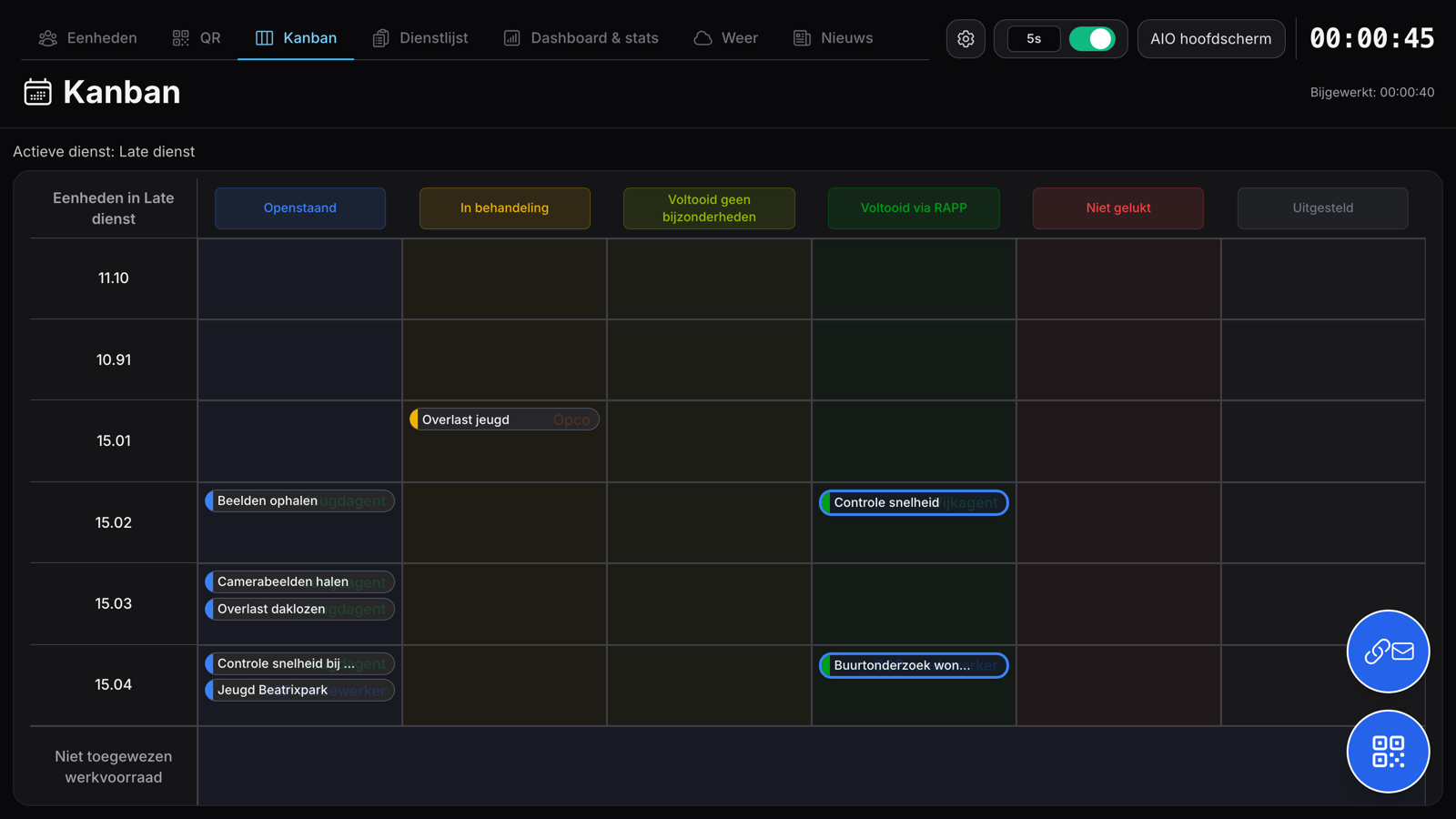
AIO Kanban for the early shift with units as rows and status columns, tasks with role labels such as Opco and Wijkagent.

Coordination & back office

Planning, allocating and adjusting in one place

The coordinator creates tasks, allocates them on the Kanban board, reports back at task level and steers on figures with a clear dashboard.

  • Drag-and-drop per shift or combined
  • Status log with feedback per task
  • Control with turnaround time, work queue and inflow versus outflow
AIO second screen in dark mode with dashboard tiles for tasks, heartbeat, system info and units logged in, with a clock.

Second screen

A calm large screen for the team room

In the team room, the map, dashboard, shift roster, weather and news rotate automatically — with a clock and system info. That way the whole team keeps an eye on it in passing, without having to look for it, and everyone sees the same current status.

  • Dashboards, Kanban and shift roster in a large format
  • Task locations on the map
  • Weather and news from sources you choose

More screens

Every section in view

A selection from the front office, back office and second screen — with realistic demo data.

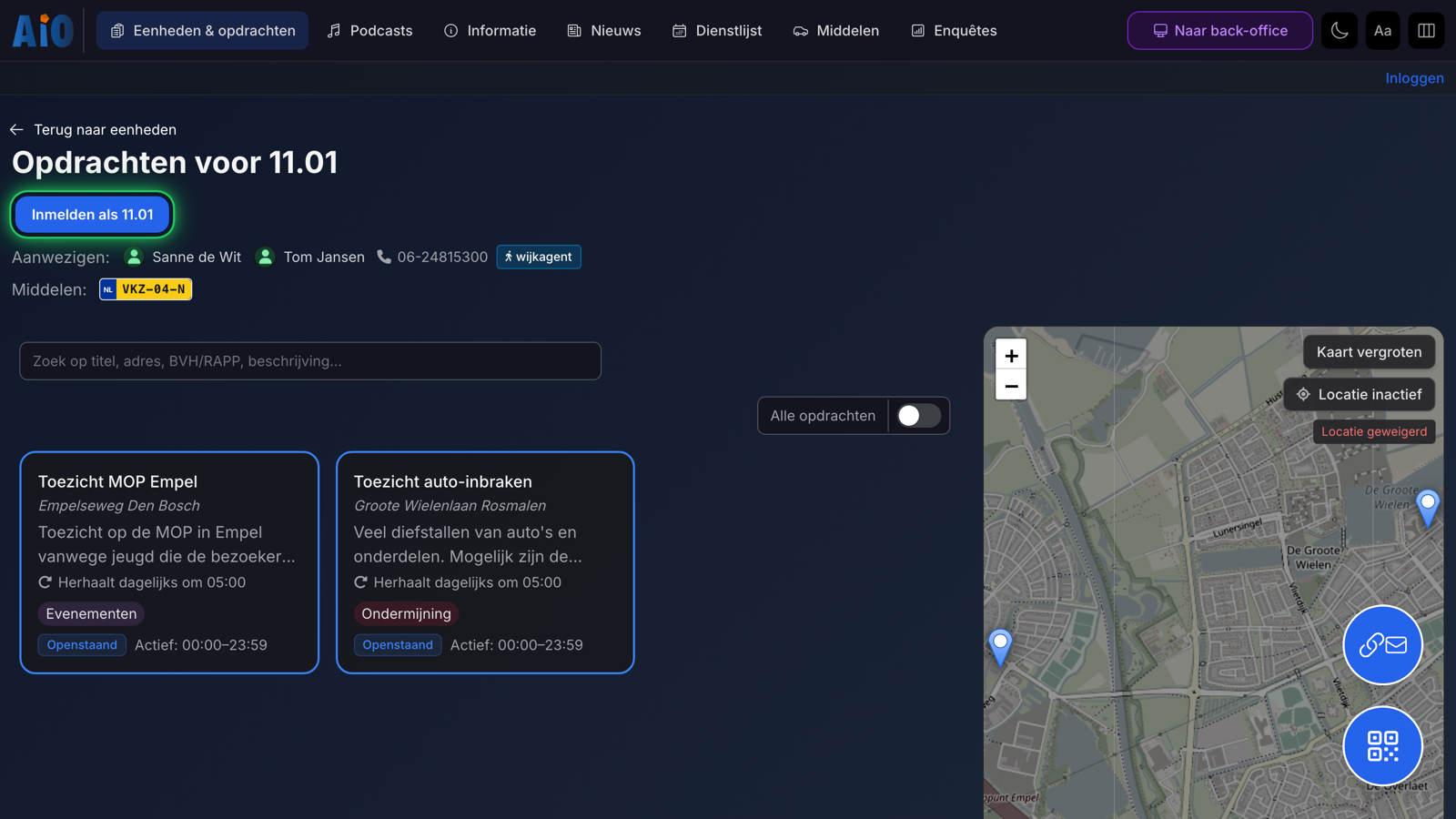
AIO screen with tasks for unit 11.01, people present, phone, competency, licence plate and map.
Tasks per unitIts own working view with assigned tasks, labels, status and map.
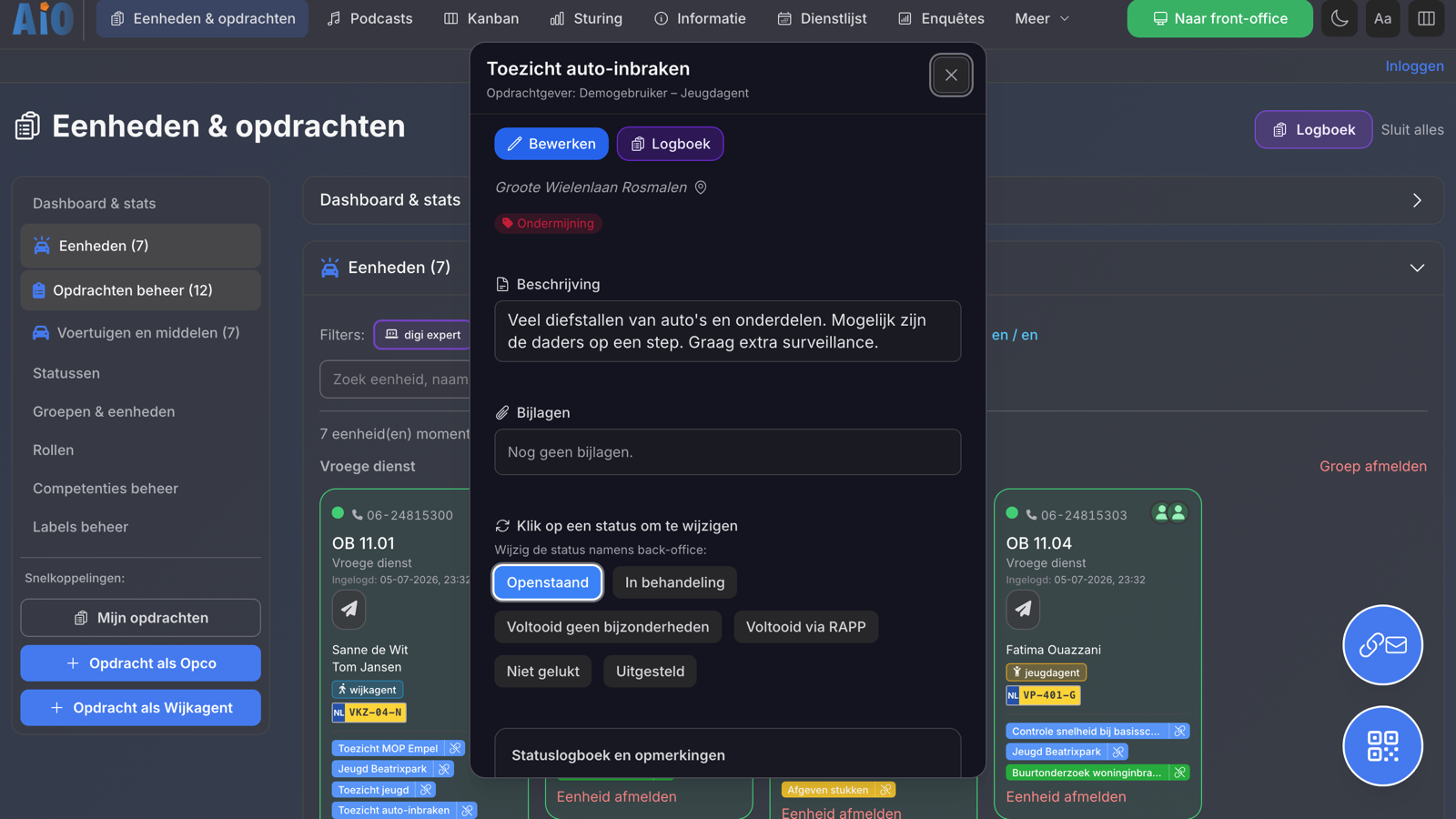
AIO task detail with requester, location, label, description, attachments, status buttons and status log.
Feedback at task levelChange the status, add comments and view the log.
AIO control dashboard with open tasks, active units, work queue per status and inflow versus outflow.
Steering on figuresWork queue, turnaround time and inflow versus outflow over 7–90 days.
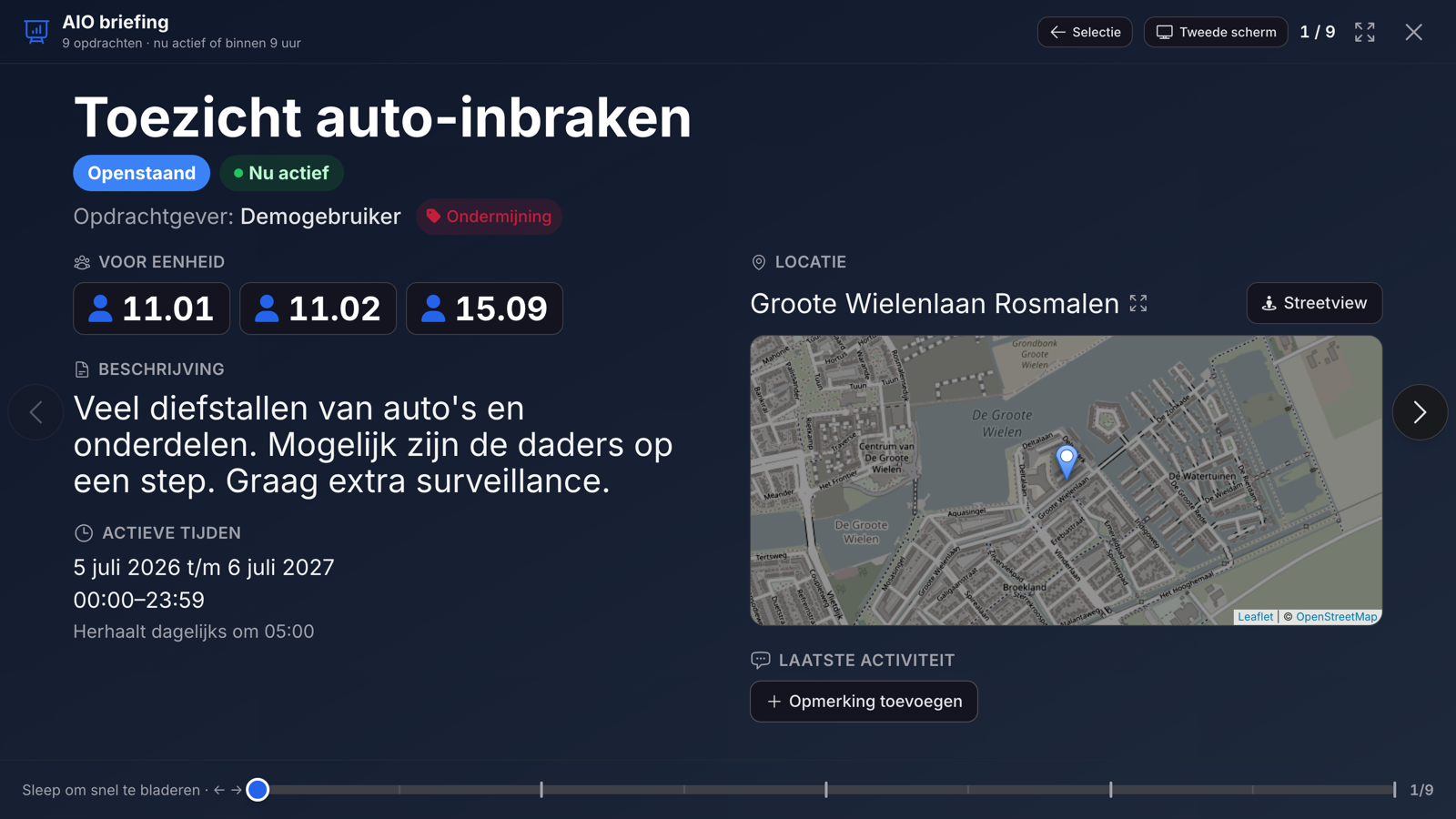
AIO briefing slide with the task Surveillance on car break-ins: status, assigned units, description, active times and the task location on the map.
Briefing as a slideshowStep through the active tasks in full screen, ready for the daily start-up.
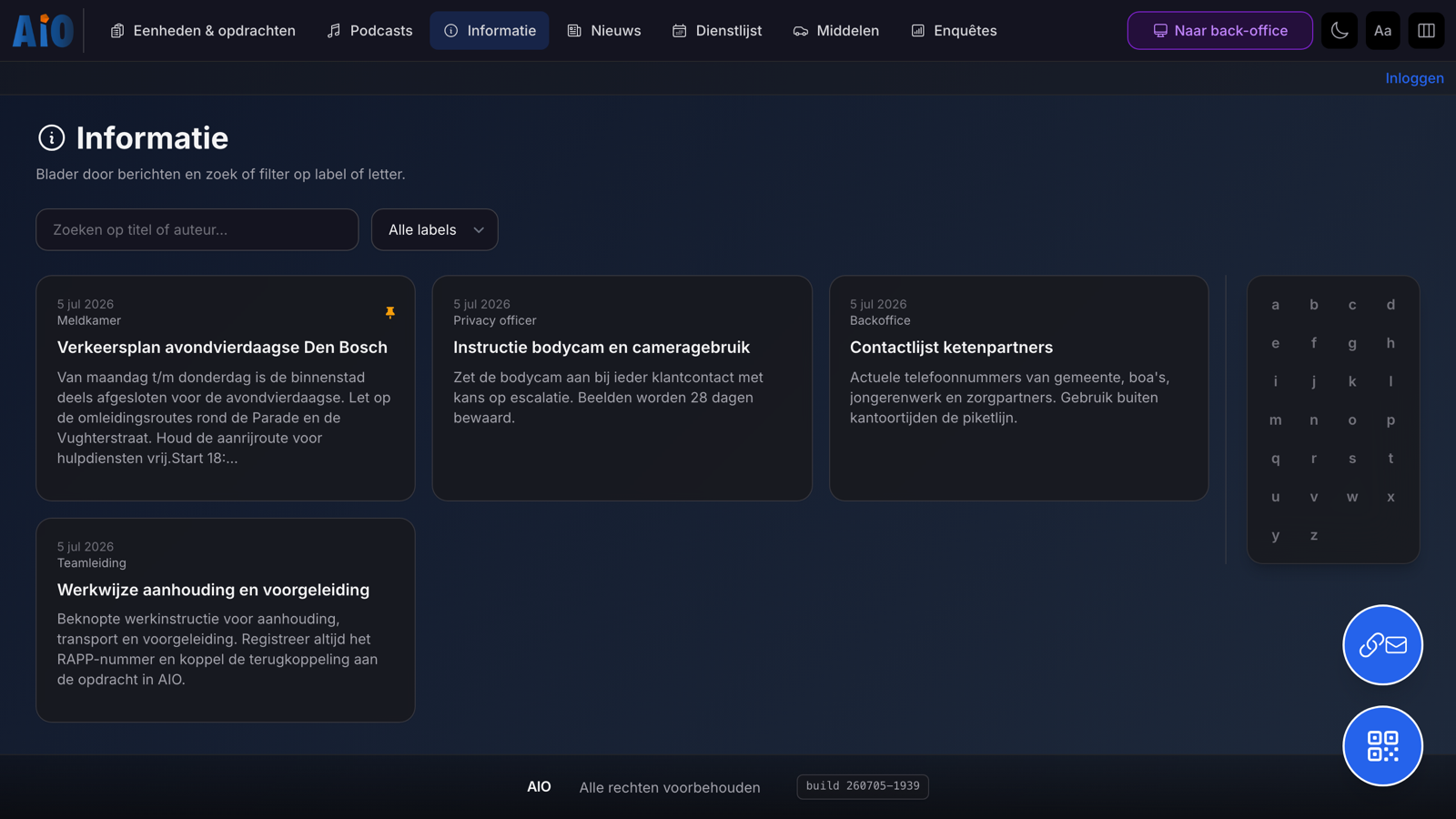
AIO information module with posts such as a traffic plan and procedures, labels, search and an alphabet filter.
Sharing information with teamsProcedures and local information with labels, search and pinning.
AIO news feed with your own team messages and references to surveys and information, with time and visibility duration.
AIO News for the teamShort team messages in your own feed, with links to information or surveys.
AIO shift roster per date with shift groups, units, names, licence plates and log-in times.
Shift roster and crewPer date, who is on which unit, with names and resources.
AIO resource overview with licence plates, labels, availability, logged-in call sign, people and phone numbers.
Vehicles and resourcesWhich vehicle is logged in under which call sign, with people and phone.
AIO survey management with two surveys, requester and description, and buttons to view or edit.
Surveys and questionnairesFor briefing or evaluation, with a PIN code if you wish; share via link or QR.
AIO system settings with a side menu for licence, time-outs, PIN codes, QR encryption, funnel, email and backup.
Configuration per organisationModules, status labels, time-outs, PIN codes, external access and backup.
AIO user accounts with an explanation of the access level per role and a button for the public log-in link and QR code.
Accounts and permissions per roleAccess per role to the front office, back office, shift roster or system.
AIO second screen with a Kanban board of the active shift: units as rows and status columns with tasks.
Second screen — KanbanThe live working view of the active shift in a large format.
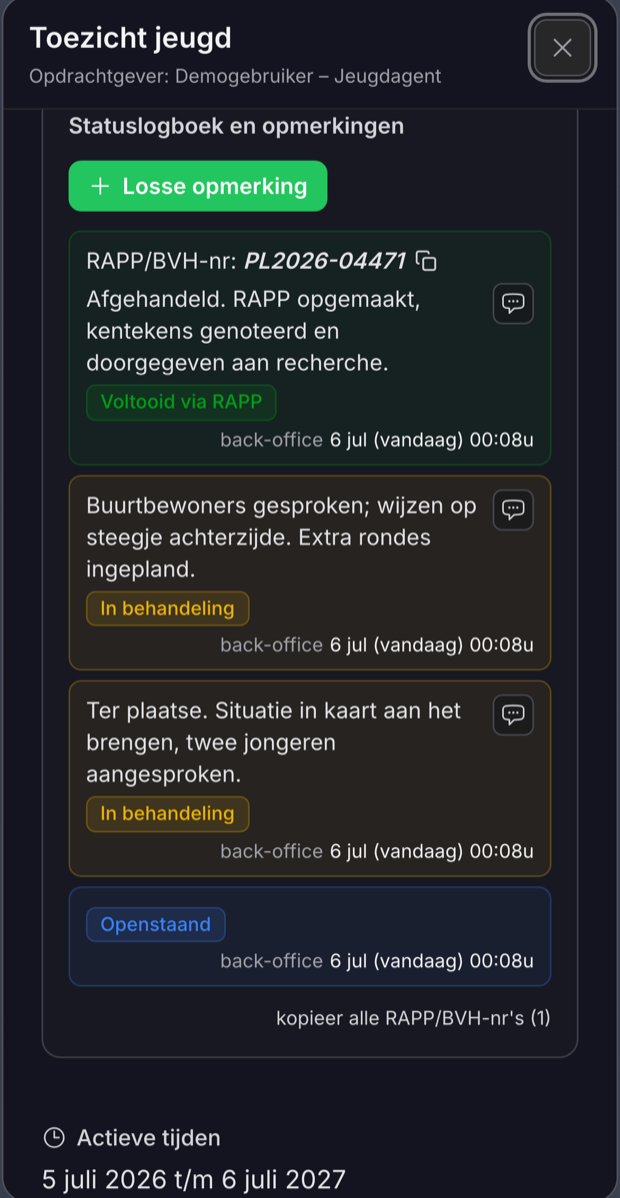
AIO on a phone: the task Youth surveillance with a status log full of feedback — status changes (open, in progress, completed via RAPP) with comments and a RAPP number.

On the move

Feedback from the phone

Units update the status of a task and record comments while on the move — simply in the browser on their phone. The back office sees the progress straight away in the same status log.

  • Change the status: open, in progress, completed or postponed
  • Record comments and a RAPP/BVH number with the task
  • A colour-coded log, visible to both the unit and the back office

See it for yourself?

See AIO working with your own tasks We are happy to think along without obligation and can set up a trial environment for your team.

Security

Security is not an afterthought

AIO is designed for work where information can be sensitive — from encryption on disk to restricted sessions, two-factor authentication and an audit trail.

Encrypted database

SQLite with SQLCipher (AES-256, PBKDF2). Data stays unreadable without a password, even if it is stolen — and can be locked manually.

Secure remote sessions

QR and email links use encrypted sessions with ECDH key exchange; API traffic runs through an encrypted proxy.

Restricted QR codes & panic button

Grant access to specific units or labels only, and revoke all sessions at once whenever that is needed.

Accounts, 2FA and PIN codes

Account log-in with two-factor authentication (TOTP and backup codes), or a PIN code for the back office — with rate limiting against brute force.

Audit log for accountability

Log-in attempts and changes are recorded with who, what and the outcome — set up with ISO 27001 in mind.

Hardening for production

Docker with a read-only rootfs, CSP, HSTS, SameSite cookies and security logging; external access via our own InnoDIGI funnel (master server), Tailscale or Ngrok.

Grows with your operation

AIO starts compact at a single location and grows with you to multiple teams, screens, shifts and information channels. Because InnoDIGI builds the software itself, we handle configuration, hosting, security and customisation as one whole.

Thinking of using AIO in your organisation?

We would be glad to show how AIO fits your service, basic team, enforcement department or operational unit — with a tailored demo, based on the way you work.