Signature SaaS

InnoARCHIVE
Web archiving and governance on one platform

InnoARCHIVE periodically captures what your organisation publishes online — as WARC archives with complete pages and assets — and also offers checks and insights around accessibility (WCAG), internet standards, SSL, broken links, Google Search Console, uptime and more, per website and organisation.

From scheduled crawls (static or with a headless browser) to time travel through earlier snapshots and searching the archive: everything is designed for teams that must be able to demonstrate accountability — towards the archives, the Dutch Open Government Act (Woo) or internal supervision, for example — without separate tools.

  • WARC & dual crawlerStatic crawling or Playwright for heavy JavaScript sites.
  • Time travel & searchA calendar and index to go back to earlier moments in time.
  • Multi-tenantOrganisations, websites, roles and optional S3 storage of your own.

What InnoARCHIVE does

InnoARCHIVE is a fully Dutch-language web application with which you manage multiple organisations and websites. At its core is website archiving: workflows with configurable limits, scheduled or manual crawls, and export to WARC in line with common standards — including validation and room for BrowserTrix / Playwright where needed. Archived sites can be viewed and searched in the built-in viewer, and accessed via a calendar (time travel) by date.

The platform also brings together the governance and observability that belong to professional website management: including WCAG scans, Internet.nl, certificate monitoring, dead links, software and update insight (including WordPress, Joomla, Drupal), an audit log per site, scheduling, cookies, web statistics, reports and digital signatures where applicable. Technically, the stack runs on Python (Flask), React and a MySQL, with support for object storage (e.g. S3-compatible) and background workers for maintenance tasks.

This is how InnoARCHIVE ties in with our service web archiving — the product behind the scenes when you are serious about organising archiving obligations, compliance or continuity.

Why teams choose this

  • Verifiable capture Record what was online and when — with WARC and traceable crawls.
  • Two crawlers A fast static crawl or Playwright for dynamic sites and SPAs.
  • Search the archive A Whoosh index to search indexed HTML from WARC quickly.
  • Role-based management Super user, admin and client levels, separated per organisation.
  • Storage to suit you Primary and secondary S3-style storage, scalable for large archives.
  • Compliance on one screen WCAG, Internet.nl, SSL, uptime and Search Console alongside the archive.
  • Automation Scheduled crawls, workers for clean-up, backups, alerts and more.
  • From the same builder Part of the InnoDIGI SaaS portfolio, with ongoing development and hosting expertise.

All features, neatly grouped

InnoARCHIVE combines archive, crawls, viewer, search index and governance in one environment. Click a category to see only the features from that section.

18 features visible

Archiving & WARC

Standards-compliant WARC export

Capture complete pages and assets in standard WARC structures, ready for archiving and compliance.

  • Validation and traceable archive files
  • Primary and secondary storage of your choice
  • Suitable for long-term preservation and audits
  • Export formats that work with common tooling
Archiving & WARC

Storage to S3-compatible buckets

Connect object storage for large volumes and manage export and rclone access from the file explorer.

  • Scalable for growing archives
  • Folders, WARC files and bulk actions
  • Compatible with common S3-style providers
  • Rclone management from the file explorer
Archiving & WARC

Dual crawler: static and Playwright

Choose fast static crawls or BrowserTrix / Playwright where JavaScript and SPAs require it.

  • Configurable limits and workflows
  • Baseline and incremental runs
  • Switch between static and browser-based per site
  • Suitable for SPAs and dynamic pages
Crawls & scheduling

Scheduled and manual crawls

Schedule captures at fixed times or start one ad hoc when you want to pin down a moment.

  • Status and progress per crawl
  • Upload and validation afterwards
  • A fixed schedule or a manual start
  • Clear error and log signals
Crawls & scheduling

Incremental and baseline

Work with a first full baseline and then efficient incremental updates of your site.

  • An overview of crawl history
  • Less duplicate storage where appropriate
  • First a baseline, then targeted updates
  • More efficient use of bandwidth and storage
Crawls & scheduling

Background workers and maintenance

Workers for clean-up, backups and periodic tasks keep the platform running reliably.

  • Less manual intervention
  • Room for policies and retention
  • Periodic maintenance tasks in the background
  • Backups and clean-up wherever you set them
Viewer & search

Time travel with a calendar by date

Go back to earlier snapshots and see exactly what was online at a chosen moment.

  • An intuitive calendar view
  • Suitable for the Dutch Open Government Act and internal supervision
  • Compare snapshots by date
  • An exact picture of what was live
Viewer & search

Search index (Whoosh) in the archive

Search indexed HTML from WARC quickly — useful for audits and factual checks.

  • Search within archived content
  • Combines with crawl workflows
  • A fast Whoosh index after each crawl
  • Useful for legal and editorial checks
Viewer & search

Built-in archive viewer

View stored sites in the application, with the same navigation experience users are used to.

  • Complete pages and assets
  • Organised per website
  • Navigation as users know it
  • No separate viewer tool needed
Accessibility & standards

WCAG scans and reporting

axe-core results, scores and violations — with desktop and mobile views in one module.

  • Trackable per site and per release
  • Support for your accessibility policy
  • Desktop and mobile views in one report
  • Violations and priorities made clear
Accessibility & standards

Run Internet.nl locally

Test HTTPS, DNSSEC, security and more without having to send data to third parties.

  • Score and components by status
  • Fits your internet standards policy
  • Runs locally, no data to third parties
  • HTTPS, DNSSEC and related checks
Accessibility & standards

Keep track of cookies and terms

Stay in control of cookie notices and policy documents as part of broader governance.

  • Configurable per website
  • Combines with alerts and reports
  • An overview of notices and policy texts
  • Part of broader governance
Security & monitoring

SSL certificate monitoring

Validity, chain and issuer in view — with manual or weekly checks per site.

  • Prevents certificates expiring unnoticed
  • Technical details for administrators
  • Chain and issuer at a glance
  • Periodic or manual checks per site
Security & monitoring

Uptime and availability

Monitor availability and link signals to reports and alerts wherever you want.

  • Alongside archive and governance
  • Fewer separate monitoring tools
  • Signals can be linked to reports
  • Insight into availability per endpoint
Security & monitoring

Google Search Console integration

Pull insights from Search Console alongside technical checks for a fuller picture per site.

  • SEO and index signals in context
  • Per organisation and website
  • A complement to technical health checks
  • Less switching tabs between consoles
Organisation & reporting

Multi-tenant with roles

Super user, admin and client levels, separated per organisation and website.

  • Secure collaboration in one platform
  • Clear permissions per role
  • Super user, admin and client levels
  • Separation per organisation and website
Organisation & reporting

Reports and alerts

Set up notifications for SSL, crawls, uptime, terms and more — configurable per site.

  • Fewer surprises in production
  • Proactive management and compliance
  • Notifications for SSL, crawls, uptime and more
  • Set up per site
Organisation & reporting

Audit logs and hosting vault

Track changes at system and website level and store panel, FTP and SSH credentials encrypted.

  • Export and filters on events
  • Practical for support and governance
  • Encrypted storage of panel, FTP and SSH credentials
  • Trace changes at system and site level

Social media archiving

Archiving does not stop at websites. InnoARCHIVE also captures your presence on social media at regular intervals — in the same reproducible archive as your sites. Useful for government bodies and organisations that must demonstrably retain their posts on social channels, for the Dutch Archives Act or Open Government Act (Woo) requests, for example.

We capture the public channels — tailored to what each platform allows — and deliver them in the same reproducible archive, with checksums and a timestamp.

InnoARCHIVE in pictures

InnoARCHIVE brings together a wide range of functions — archive, crawls, accessibility, certificates, hosting, audits and more — in one calm, professional interface. Careful design and consistent navigation make sure you never get lost between modules: everything feels like one product. Whether you manage a handful of websites or want to run hundreds centrally: from 2 to 200 sites the environment scales along neatly, so day-to-day management stays efficient and pleasant to use.

Click a screenshot to view it enlarged and sharp.

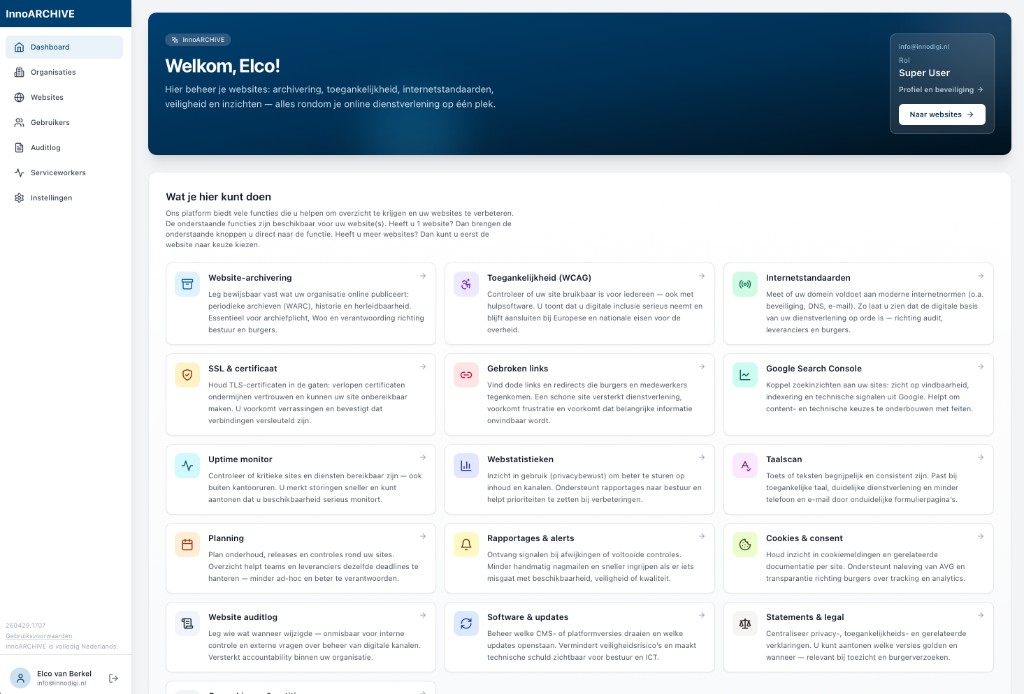
Main dashboard with side menu and tiles for all functions.
Main dashboard Side menu, welcome block and quick access to all modules.
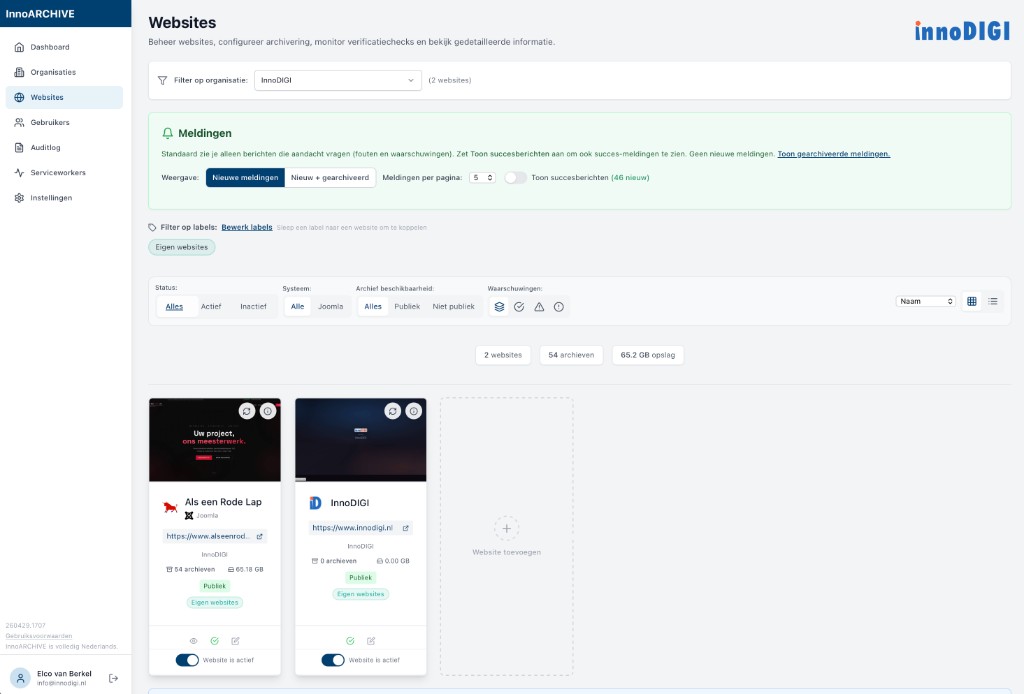
Website management with cards per site and filters.
Website workspace Main menu, organisation and site submenus with dashboard and preview of the selected site.
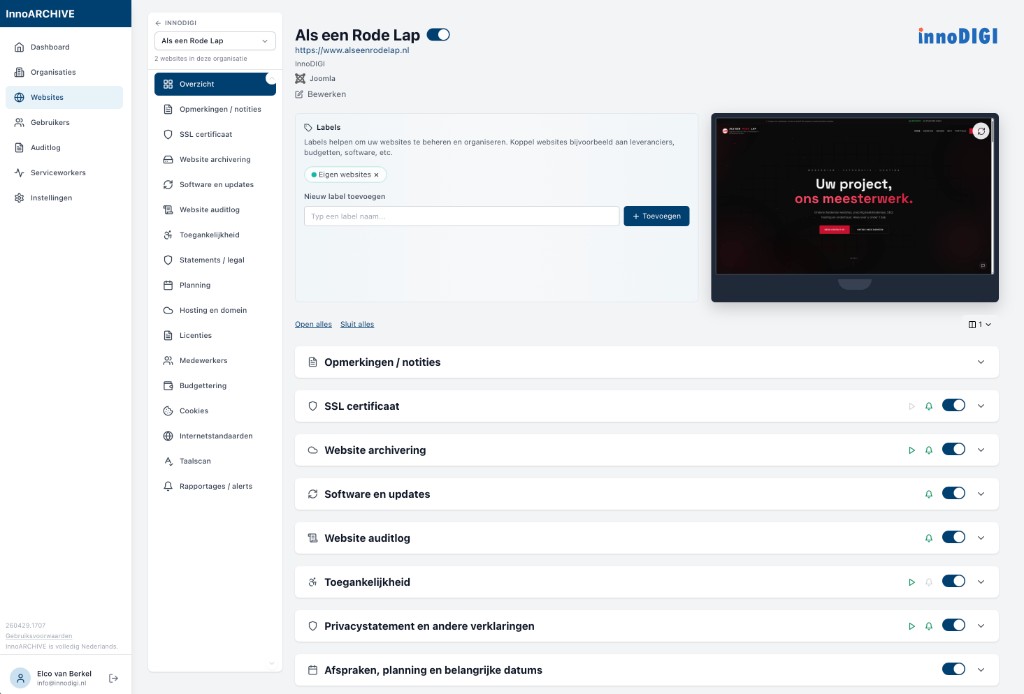
Detail page of a website with preview and module toggles.
Overview per website Labels, preview and toggles for SSL, archive, software, WCAG and more.
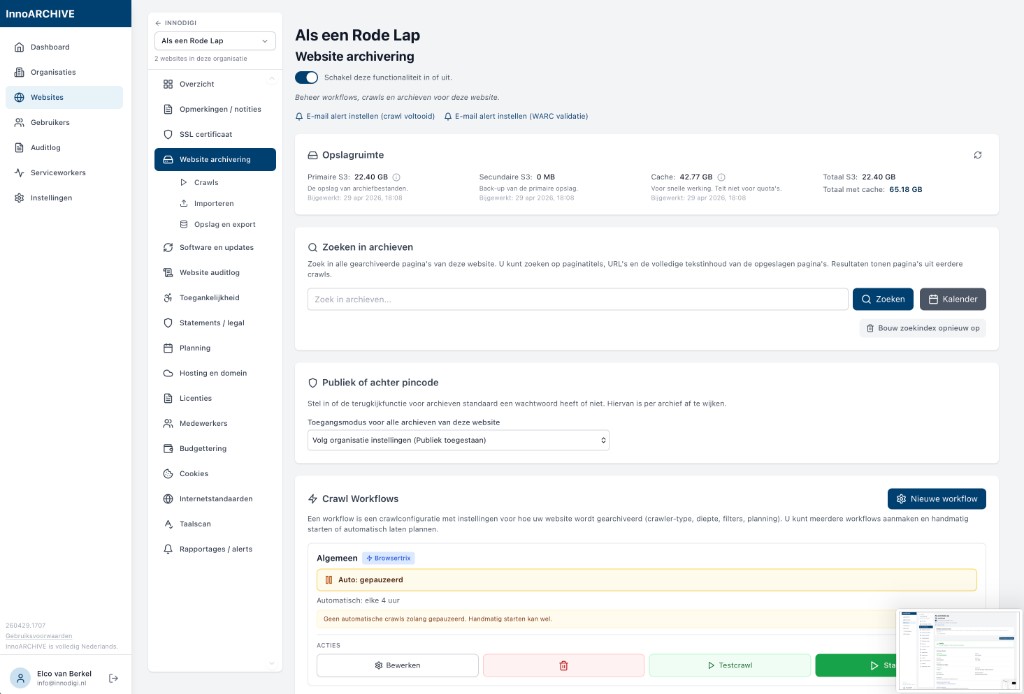
Website archiving: storage, searching archives and crawl workflows.
Website archiving Storage, search index, workflows and crawl scheduling.
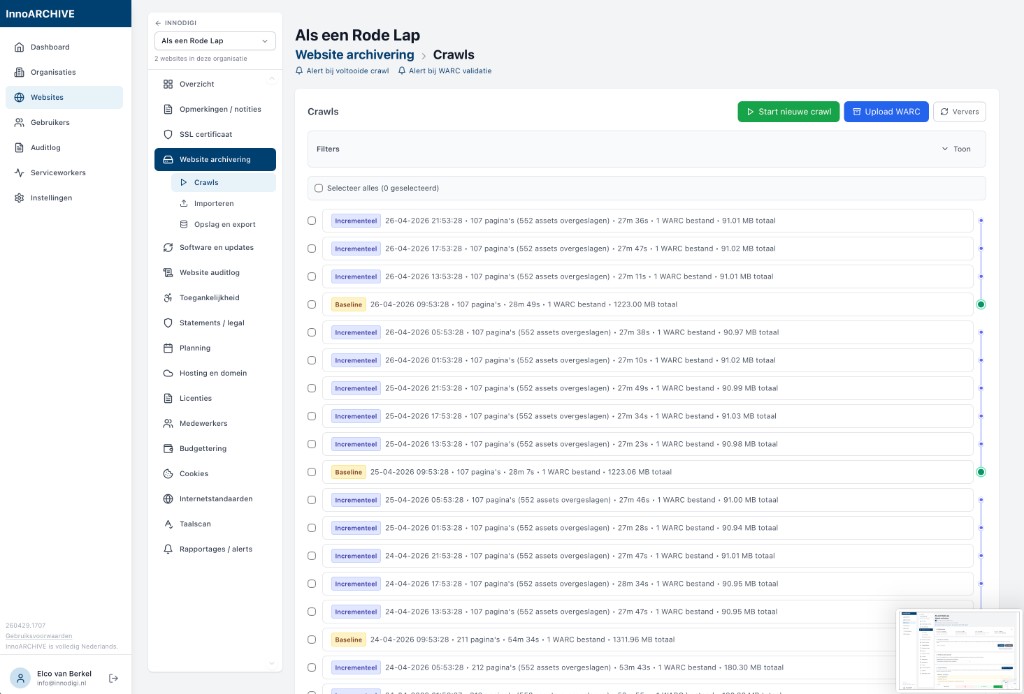
List of crawls: incremental, baseline, WARC and actions.
Crawls Incremental and baseline, status, validation and upload.
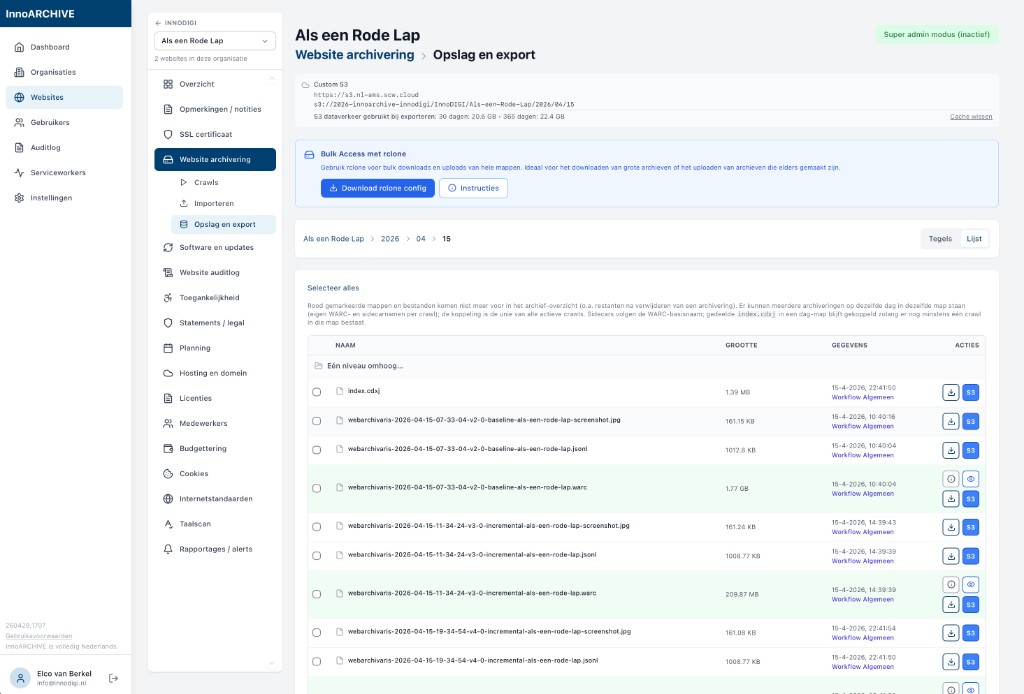
Storage and export: folders, WARC files and rclone.
Storage & export Explorer within the bucket, files and bulk access (rclone).
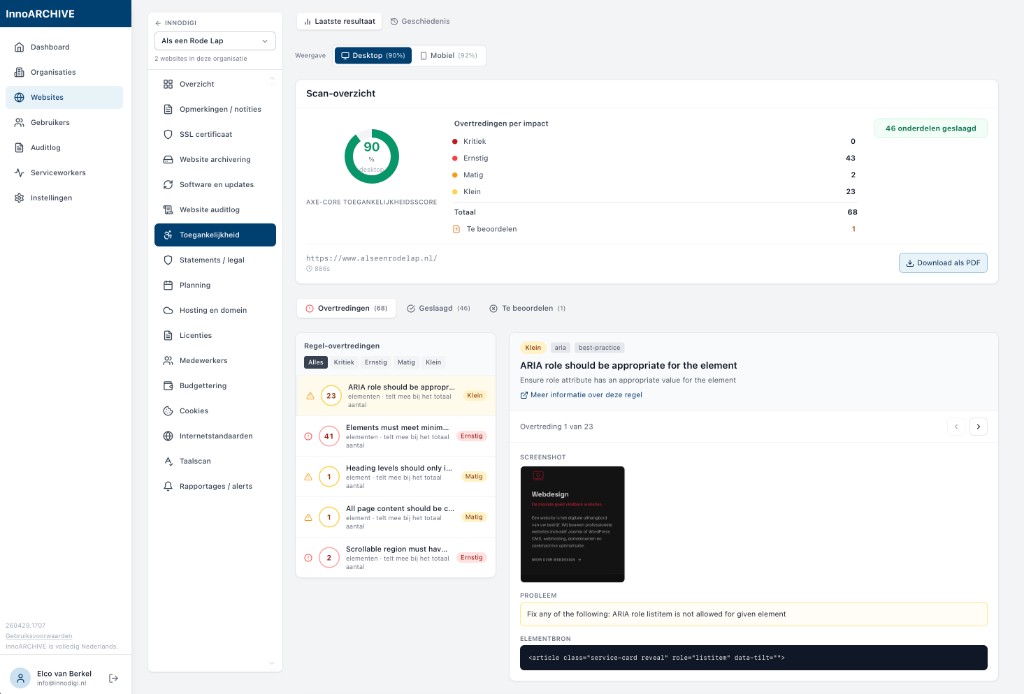
WCAG dashboard with score, violations and detail view.
Accessibility (WCAG) Scores, axe-core results and desktop/mobile view.
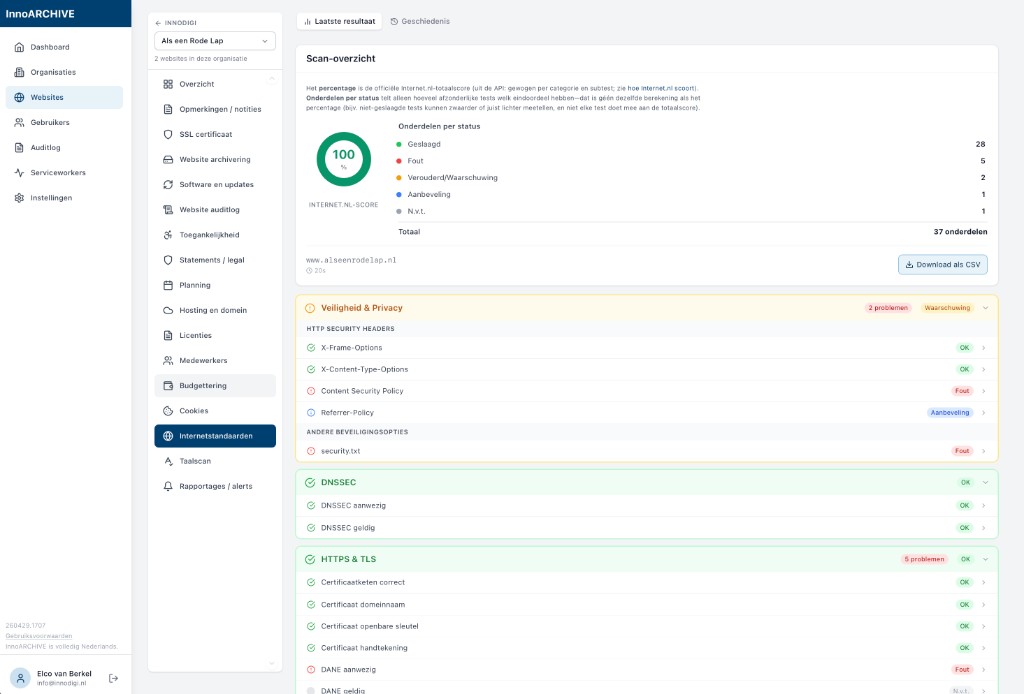
Internet.nl scan overview with score and components by status.
Internet standards Local Internet.nl tests: HTTPS, DNSSEC, security and more.
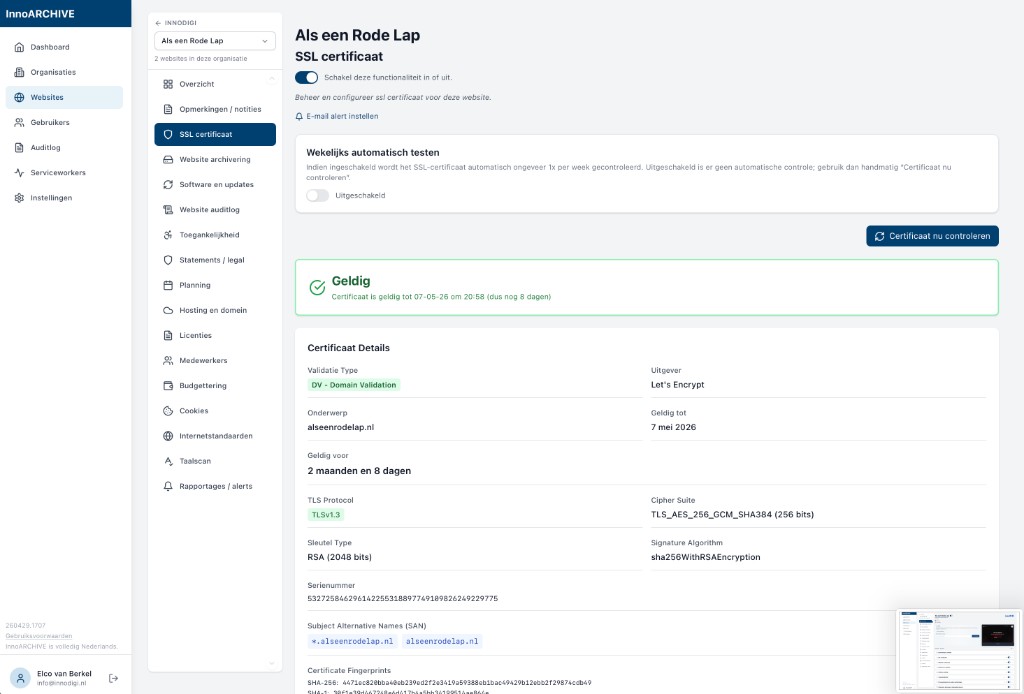
SSL certificate: validity, issuer and technical details.
SSL certificate Status, validity period, chain and manual or weekly checks.
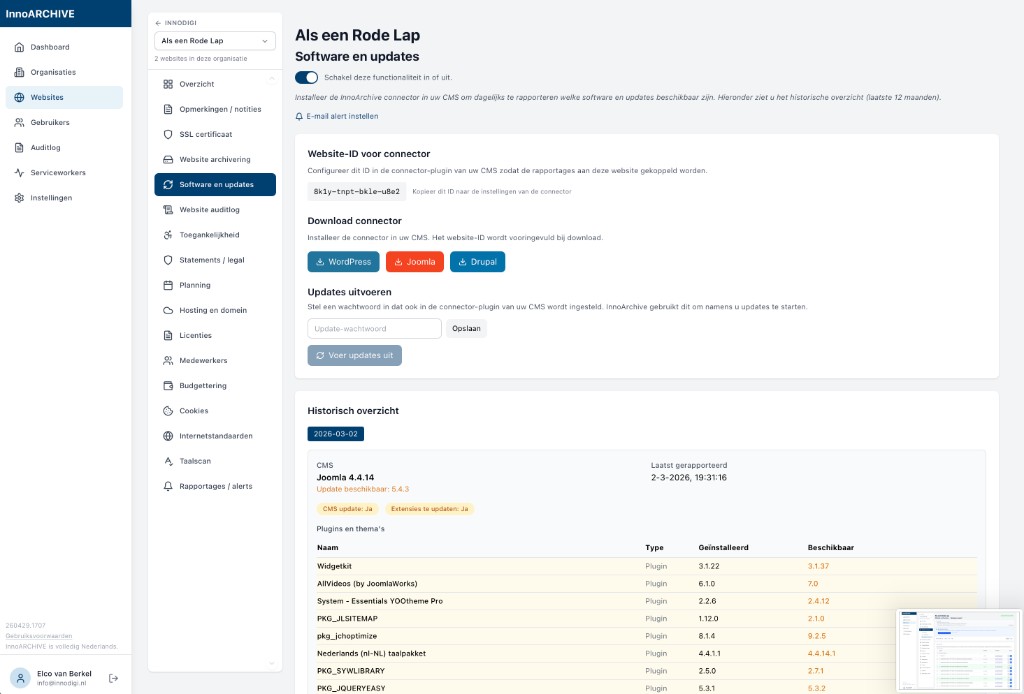
Software and updates: CMS version, connector downloads and historical overview.
Software & updates Connectors for WordPress, Joomla and Drupal; update insight.
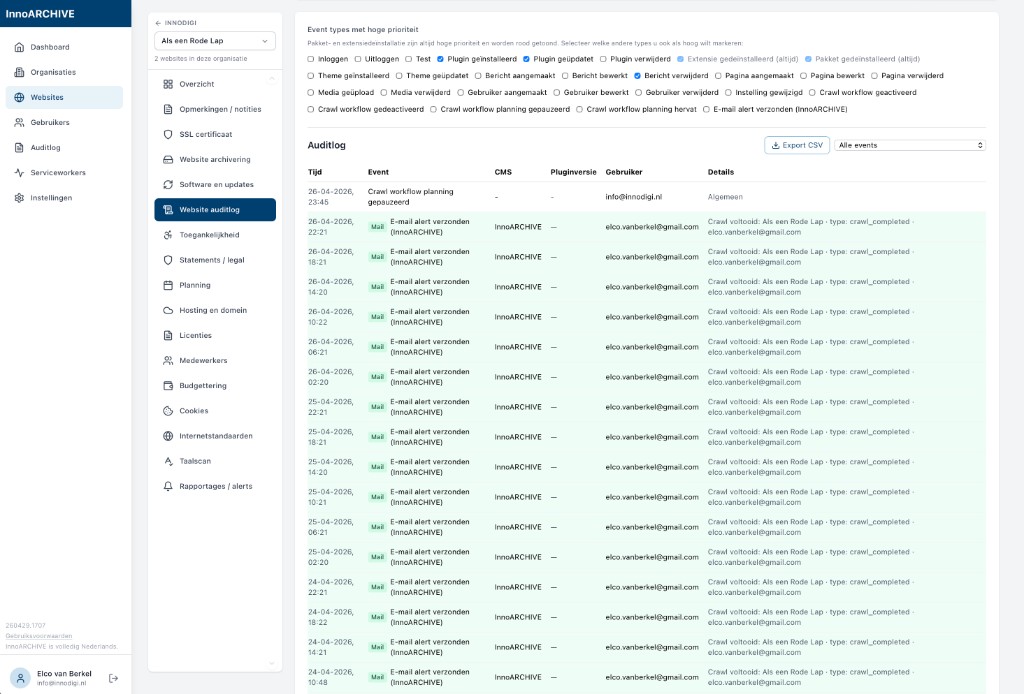
Website audit log with CMS events and export.
Website audit log (CMS) Events from the site plug-in, priorities and CSV export.
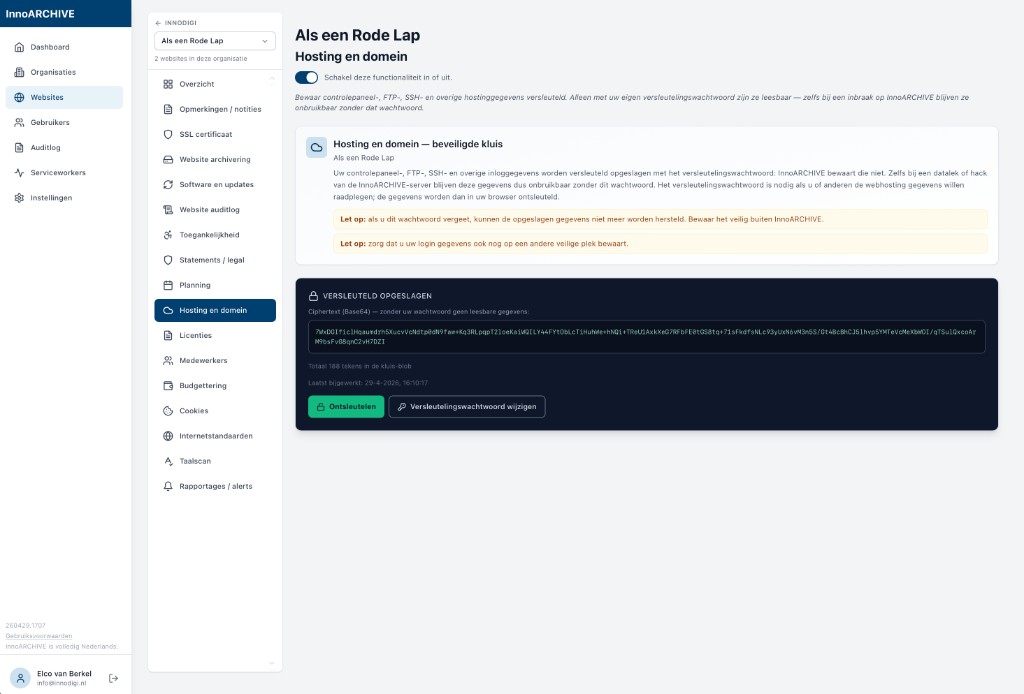
Hosting and domain: encrypted vault for login credentials.
Hosting & domain Encrypted vault for panel, FTP and SSH credentials.
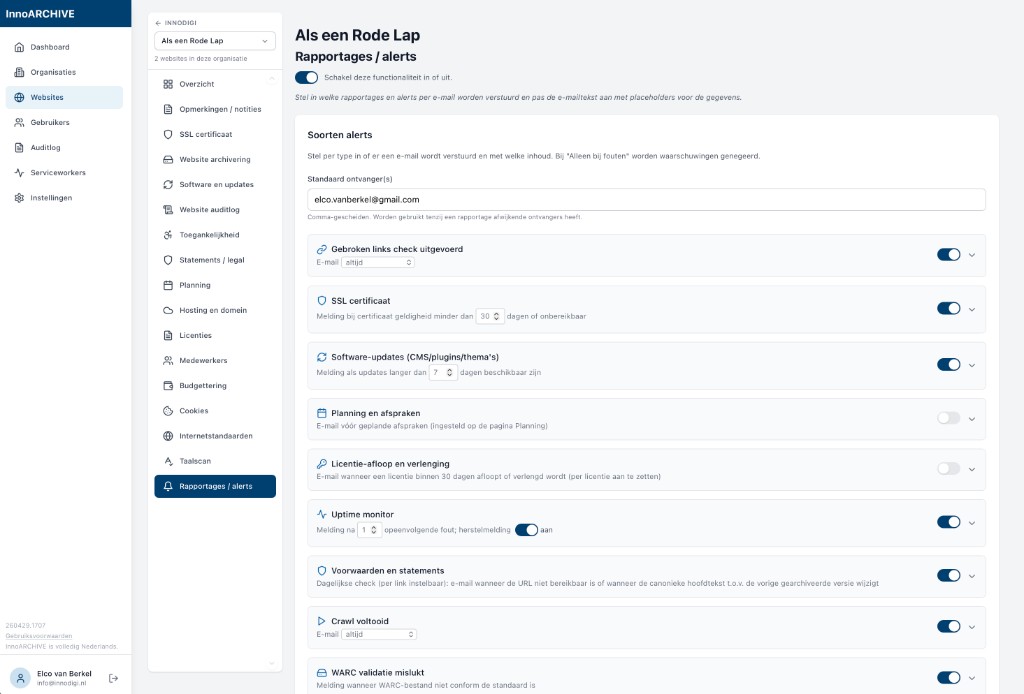
Reports and alerts: notification types and toggles per alert.
Reports & alerts Configurable per site: SSL, crawls, uptime, terms and more.
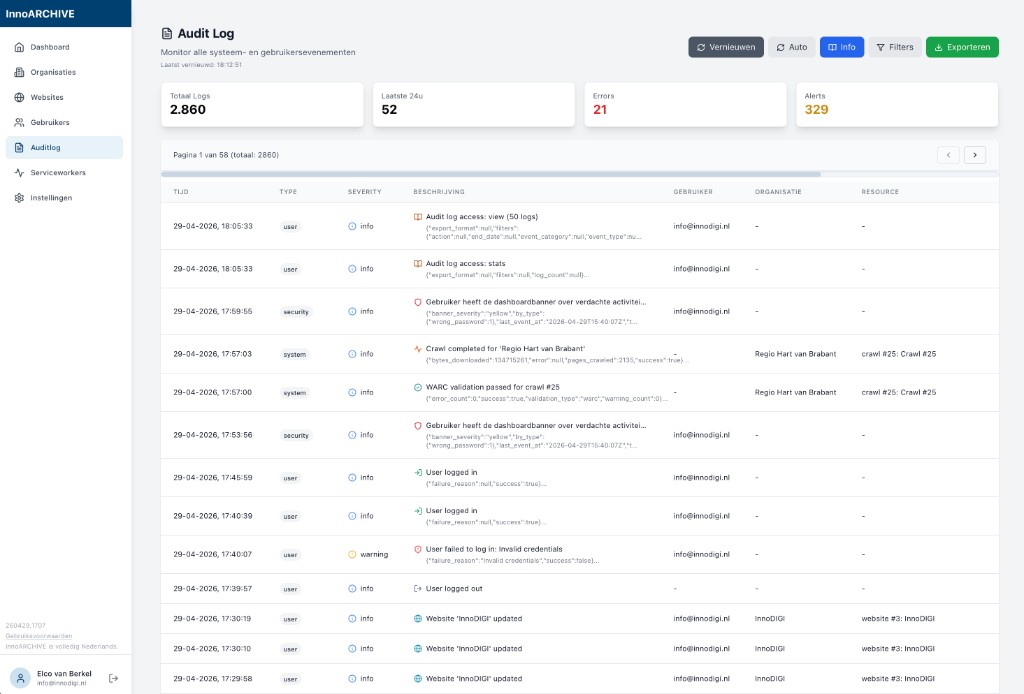
System audit log with timeline, filters and export.
System audit log All user and system events, filters and export.

Want to know more, or start using it?

InnoARCHIVE is a signature application by InnoDIGI. Would you like to know whether it suits your organisation, or do you need custom work around integrations and policies? Do get in touch. The application can be opened at app.innoarchive.nl (access by invitation or arrangement).

InnoARCHIVE for your organisation?

We are happy to think along about archiving, compliance and technical set-up. Get in touch or go straight to app.innoarchive.nl if you already have access.